Start with the thing every page on this subject should say first: there is no consumer GPS tracker that fits in or on a laptop. Nothing cellular is that thin, that cool or that long-lived on a battery. What works is a Bluetooth tag matched to your phone — an AirTag if you carry an iPhone, a Moto Tag 2 or another Find Hub tag if you carry Android — plus a slim card in the sleeve pocket and, ideally, a second tag stuck to the machine itself. All of it costs nothing per month.
The reason the premise fails is physics and billing rather than product planning. A cellular tracker needs an antenna, a battery big enough to feed a radio, and a data plan to report over. That is a device the size of a deck of cards that needs charging every few weeks, and it costs a subscription — which is why the ones that exist are sold for vehicles, trailers and plant. Those magnetic vehicle trackers are the nearest real thing, and none of them is going in a laptop sleeve.
A Bluetooth tag, by contrast, has no radio of its own worth speaking of. It whispers, and other people's phones relay the whisper. In the places laptops actually go missing — airports, cafes, campuses, offices, trains — the density of phones is as high as it gets anywhere on earth, which is the one scenario in which a crowd-network tag is at its strongest. The difference between where it is and where it was is still the limitation to understand before you buy.
What matters when you are tagging a laptop
Thickness, measured against the pocket you own. A keyring tag is 8 mm of bulge against a screen; a card tracker is about the thickness of two credit cards and disappears into a sleeve's document pocket. If the tag makes the bag awkward, it comes out of the bag within a week, and a tracker in a drawer finds nothing.
Your phone's network, not the biggest network. An AirTag rides Apple's crowd network and is unusable from an Android phone; the Find Hub tags are the reverse. Chipolo and Pebblebee cards pick one network at setup and can be reset to the other, which is the hedge if you might change platform. Buy for the phone in your pocket today. The four questions that settle this take about a minute.
Alarm volume, because most “lost” is indoors. The common case is not theft, it is a bag under a desk in a building you are already standing in. The map will say “this building”. The alarm is what finds it. Card trackers are quieter than keyring tags — all of them, for the simple reason that a thinner body makes a worse speaker — so if you only buy one tag, put a loud one in the main compartment rather than a silent-ish card in the sleeve.
Replaceable, rechargeable or sealed. A coin cell is a two-minute fix from a supermarket. A rechargeable card needs a cable about once a year. A sealed card simply expires, which means buying the same product again in a couple of years and which we would avoid in a bag you intend to keep. The replaceable-battery shortlist exists because this is the quiet recurring cost in a category that claims to have none.
Whether a thief will find it. One tag in the obvious front pocket is one tag a thief can empty into a bin. Two tags in two places is a different proposition, and the second one costs less than a takeout lunch.
Where to put them
Tag one, in the bag: the main compartment or an interior zip pocket, loud, on whichever network your phone uses. This is the tag that answers “where is my bag” and it does most of the work day to day.
Tag two, on the machine: a slim card in the laptop sleeve itself, or a tag on an adhesive pad stuck to the underside of a hard case. In a theft the bag and the laptop get separated fast — the bag is discarded, the machine is carried or sold — so a tag that travels with the laptop rather than the luggage is the one with a chance of telling you something useful.
Not on the lid where it will be peeled off, and not where adhesive meets a vent. Adhesive is a permanent decision on a machine worth four figures, so if that makes you wince, use the sleeve pocket and skip the pad.
The short answer
Quick picks
Ranked by what each one costs to own for three years, not by sticker price. The plan column is the one most comparisons leave out.
| # | Product | Best for | Plan / 3 yr | Price |
|---|
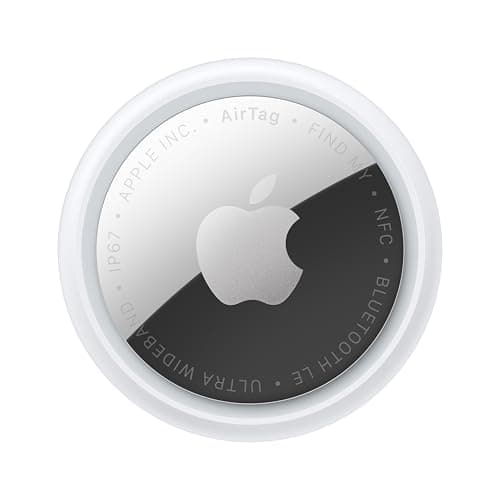
| 01 | Apple AirTag (2nd generation)The densest finding network there is, which is exactly what a bag left in an airport, a cafe or a lecture hall needs. Precision Finding walks you to it in a room. No fee, ever. | iPhone owners, in the bag | No monthly fee $0 + batteries | $24.00·Amazon |
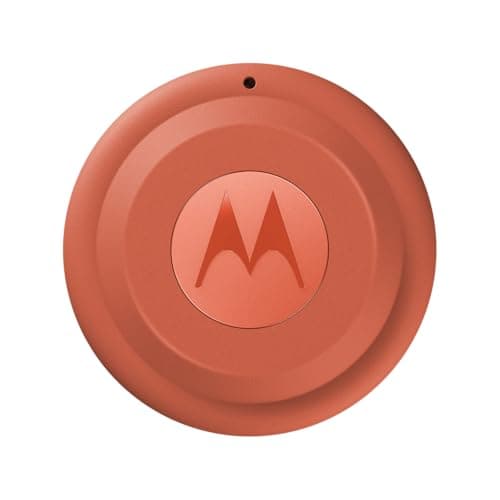
| 02 | Motorola Moto Tag 2The best finding hardware on Find Hub: UWB and Bluetooth 6.0 channel sounding, a coin cell Motorola states runs over 600 days, IP68, nothing monthly. | Android owners, in the bag | No monthly fee $0 + batteries | $37.84·Amazon |
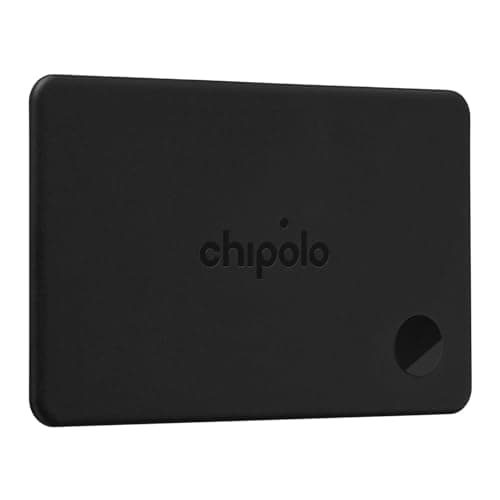
| 03 | Chipolo CARDCard-shaped, so it slides into the document pocket of a laptop sleeve without a bulge. Rechargeable, dual-network, no paid tier at all. | The sleeve pocket, either platform | No monthly fee $0 | $38.99·Amazon |
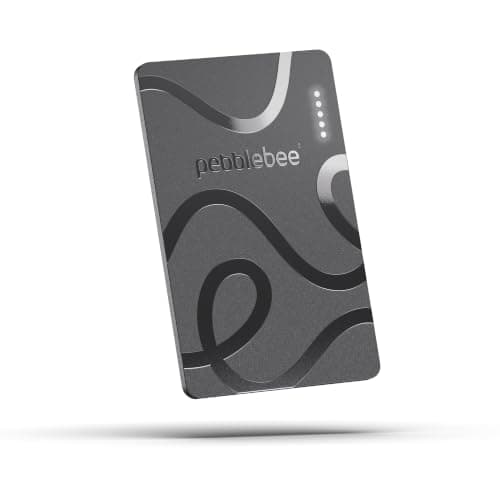
| 04 | Pebblebee Card 5The same card format with a louder alarm than most, rechargeable over USB-C and usable on either Find My or Find Hub. The one to pick if you lose the bag indoors. | A card you can still hear | No monthly fee $0 | $39.99·Amazon |
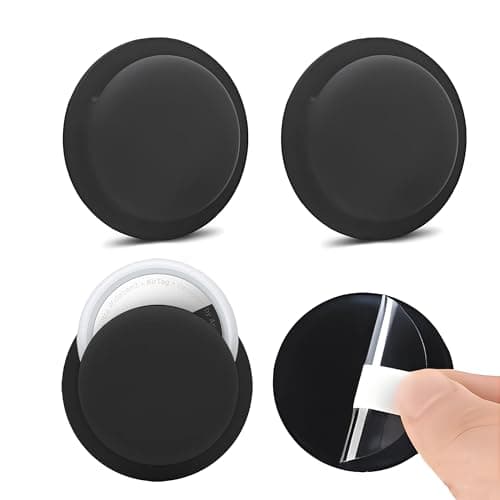
| 05 | AirTag adhesive mountA low-profile adhesive pad that holds a tag flat against the machine or the inside of a case. The point of a second tag: the bag and the laptop get separated during a theft. | Tagging the laptop itself | No monthly fee $0 | $9.99·Amazon |
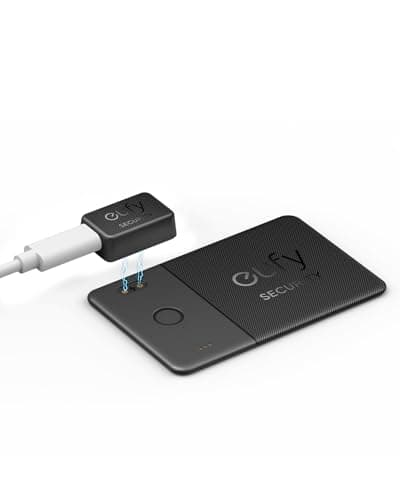
| 06 | eufy SmartTrack Card E30The cheapest rechargeable Find My card worth owning, and genuinely thin. Apple-only, quiet, and perfectly good as the second tag in a bag that already has a loud one. | The cheapest card worth owning | No monthly fee $0 | $19.99·Amazon |
#ad · Live prices from Amazon's product API, as of October 22, 2026. Where we have no verified live price we show none — a gap beats a number that has rotted. Plan figures are the brands' own published rates, cited in Sources below.
In detail
The picks, in full
Top pickNo monthly fee#01 · Apple
Apple AirTag (2nd generation)
iPhone owners, in the bag
The densest finding network there is, which is exactly what a bag left in an airport, a cafe or a lecture hall needs. Precision Finding walks you to it in a room. No fee, ever.
The subscription reality
No subscription. The only recurring cost is a CR2032 roughly once a year, which is pennies.
- Over three years:
- about $3 in coin cells
Specs, as published by Apple
- ·User-replaceable CR2032 coin cell; Apple states it runs more than a year
- ·IP67 (1 m for up to 30 minutes, IEC 60529)
- ·Ultra Wideband Precision Finding, 1.5x the range of the first generation
- ·Speaker 50% louder than the first generation
Good
- +No subscription, and Apple has never charged one
- +The Find My network is the largest crowd network in the world, so a lost AirTag in a populated area usually reports within minutes
- +Precision Finding walks you to it by distance and direction, not just a map pin
- +Battery is a coin cell from any supermarket, not a sealed pack
Not so good
- −iPhone only for setup and full use — there is no Android app
- −It has no GPS of its own: it reports when an Apple device walks past it, so it is a finder, not a tracker
- −No keyring hole, so you are buying a holder as well
Skip it if
you are on Android, or you need to watch something move in real time — an AirTag only knows where it was when someone last walked past it.
No monthly fee#02 · Motorola
Motorola Moto Tag 2
Android owners, in the bag
The best finding hardware on Find Hub: UWB and Bluetooth 6.0 channel sounding, a coin cell Motorola states runs over 600 days, IP68, nothing monthly.
The subscription reality
No subscription. The only recurring cost is a CR2032 roughly once a year, which is pennies.
- Over three years:
- about $3 in coin cells
Specs, as published by Motorola
- ·Google Find Hub only — Motorola lists no Apple Find My mode
- ·User-replaceable CR2032; Motorola states more than 600 days
- ·Ultra Wideband plus Bluetooth 6.0 Channel Sounding for close-range finding
- ·IP68, and a stated maximum of 77 dB at 10 cm
Good
- +One of the few tags built for Google Find Hub first rather than as an afterthought
- +No subscription
- +Replaceable battery with the longest stated life of any mainstream tag
Not so good
- −Android only — there is no iPhone path at all
- −77 dB stated is quiet next to Chipolo's 125 dB or Pebblebee's 130 dB
- −UWB and channel sounding only help on phones that have them
- −Find Hub's network is younger and thinner than Apple's
Skip it if
most of the places you lose things are quiet — a thinner crowd network is the real limit on any Android tag.
No monthly fee#03 · Chipolo
Chipolo CARD
The sleeve pocket, either platform
Card-shaped, so it slides into the document pocket of a laptop sleeve without a bulge. Rechargeable, dual-network, no paid tier at all.
The subscription reality
No subscription, now or later. The purchase price is the whole cost of ownership.
- Over three years:
- $0
Specs, as published by Chipolo
- ·Credit-card form factor, rechargeable
- ·Works with Apple Find My or Google Find Hub
- ·No subscription for any feature
Good
- +Actually card-shaped, so it sits in a note slot without bulging the wallet
- +Rechargeable, so no sealed two-year death date like the first wallet cards had
- +Dual-network
Not so good
- −Needs charging, and a wallet card is the easiest thing to forget to charge
- −Thicker than a real credit card
- −Alarm is quieter than a keyring tag, as every card tracker's is
Skip it if
your wallet is already tight — measure the slot before you buy any card tracker.
No monthly fee#04 · Pebblebee
Pebblebee Card 5
A card you can still hear
The same card format with a louder alarm than most, rechargeable over USB-C and usable on either Find My or Find Hub. The one to pick if you lose the bag indoors.
The subscription reality
No subscription, now or later. The purchase price is the whole cost of ownership.
- Over three years:
- $0
Specs, as published by Pebblebee
- ·Card form factor, rechargeable over USB-C
- ·Works with Apple Find My or Google Find Hub
- ·No subscription
Good
- +Rechargeable, so it does not expire the way sealed wallet cards did
- +Dual-network
- +Thin enough for a card slot
Not so good
- −Quieter than the Clip, as all cards are
- −Needs charging
- −Costs more than a keyring tag for less alarm
Skip it if
you want one device for keys and wallet — buy the Clip and a cheap card tag rather than two cards.
No monthly fee#05 · Generic
AirTag adhesive mount
Tagging the laptop itself
A low-profile adhesive pad that holds a tag flat against the machine or the inside of a case. The point of a second tag: the bag and the laptop get separated during a theft.
The subscription reality
No subscription, now or later. The purchase price is the whole cost of ownership.
- Over three years:
- $0
Specs, as published by Generic
- ·Adhesive pad that holds an AirTag flat
- ·Sticks to plastic and metal
- ·Low profile
Good
- +Mounts a tag where there is no keyring
- +Low profile enough to hide
- +Cheap
Not so good
- −Adhesive is a permanent choice
- −Can be prised off
- −Does not seal against water
Skip it if
the surface gets wet or hot — adhesive and engine bays do not mix.
No monthly fee#06 · eufy by Anker
eufy SmartTrack Card E30
The cheapest card worth owning
The cheapest rechargeable Find My card worth owning, and genuinely thin. Apple-only, quiet, and perfectly good as the second tag in a bag that already has a loud one.
The subscription reality
No subscription, now or later. The purchase price is the whole cost of ownership.
- Over three years:
- $0
Specs, as published by eufy by Anker
- ·Card form factor, rechargeable
- ·Works with Apple Find My
- ·No subscription
Good
- +Cheapest rechargeable wallet card worth owning
- +No fee
- +Genuinely thin
Not so good
- −Find My only, so Android owners should look elsewhere
- −Quiet alarm
- −No UWB
Skip it if
you are on Android — this one is Find My only.
Which combination, by what you carry
iPhone, one tag, done: an AirTag in the bag. Largest network, Precision Finding to walk you to it indoors, a supermarket coin cell once a year. Add a cheap card in the sleeve later if you want the second position.
Android, one tag, done: a Moto Tag 2 in the bag. Our full review is here — UWB and channel sounding for direction, a stated 600-plus days on a coin cell, IP68, no fee. If you would rather have loudness than direction, a Pebblebee Clip 5 instead.
Either platform, and you might switch: a Chipolo or Pebblebee card. Both pick their network at setup and can be reset to the other, so a change of phone does not turn your trackers into plastic.
A machine that leaves your hands — checked bags, shared offices, student housing: two tags, one in the bag and one on the laptop, on the same account. Two tags at the cheap end still cost a fraction of one year of any subscription tag, and it is the only configuration here that survives the bag being thrown away.
A fleet of machines at a small business: a tag per bag is fine for finding and useless for inventory. Anything resembling asset management wants a cellular device and a plan, which puts you in the territory of equipment and tool trackers rather than this page.
Do the free things first
Before you buy anything: turn on your operating system's own device locator and sign in to it. Every major desktop platform ships one, it costs nothing, and it reports over the internet the moment a stolen laptop is powered up and connected — which is something no Bluetooth tag can do. A tag is what covers the laptop while it is closed, offline, and in somebody else's hands.
Then write down the serial number and keep it somewhere that is not the laptop. The police report wants it, your insurer wants it, and the person who recovers a machine from a pawn shop wants it. A tracker position without a serial number is a story; with one, it is a case.
What a tag will and will not do when a laptop is stolen
It will often show you where the bag went for the first few hours, because a thief walks past a lot of phones. It will show you if the bag was dumped in a stairwell two floors down, which is a surprisingly common outcome once the laptop has been taken out of it. And it will tell you whether the machine is still in the building.
It will not give you a live feed, because there is no GPS and no SIM in any of these devices. It will not report from a basement, a van or a rural house with nobody around. And it will not make recovery your job: a position is something you hand to the police, exactly as in how to find a stolen car. Going to fetch your own laptop from a stranger's address is how a property loss becomes something worse.
One more honest note. Apple and Google both ship unwanted-tracking alerts, which means a thief carrying your bag may get a notification that an unknown tag is traveling with them. That is a good feature and it is also the main reason a second, hidden tag is worth having. How those alerts work, and their limits is the page for that.
How we picked
We did not lab-test these trackers
Everyone in this category claims to have tested twenty devices. We have not tested any of them, and we say so on every page. What we did instead: read each manufacturer's published specifications and cite them with the date, find the actual subscription price and cite that too, and work out what thirty-six months of ownership costs at those published figures. Device prices come live from Amazon's API and expire after 48 hours rather than going stale. Where a figure could not be sourced to the manufacturer, the page says the spec is unconfirmed rather than borrowing it from a competitor's review. The full method is on the methodology page.
Working out what a tracker really costs? See the three-year cost of every tracker, compared.
Read next
Related
The table behind every recommendation on this site: device, plan, and what thirty-six months actually comes to.
The Android pick on this page, in full: UWB, a stated 600-plus days and no fee.
The same card formats measured against a wallet slot rather than a laptop sleeve.
The same problem with a bag worth more than the laptop, and the insurance angle.
Four questions that eliminate most of the market before you look at a single specification.
Bluetooth tags, cellular GPS and radio direction-finding are different products, not price tiers.