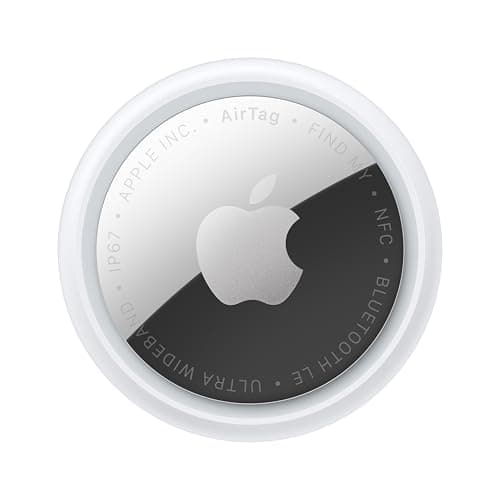
Head-to-head: AirTag vs Tile
AirTag vs Tile
Seven axes: network size, platform support, loudness, battery, subscription, privacy and price. Plus the third option that beats both for many buyers.

Head to head
Most comparisons in this category are a feature grid with a winner at the bottom. These compare the thing that decides it: what each one costs you over three years, and which phone you own.
By Mike M.Last updated
#ad — we earn a commission if you buy through the links on this page, at no cost to you. It never changes what we recommend, and the structural reason it cannot is that we recommend the no-subscription devices, which pay the least. Full disclosure.
Almost every tracker comparison online makes the same mistake: it treats the devices as interchangeable products differing by features, when the real differences are categorical. An AirTag and a LandAirSea 54 are not two trackers at different price points. One is a passive Bluetooth beacon that costs nothing to run and tells you where something was. The other is a cellular device with a monthly bill that tells you where something is. No feature table makes that comparison legible.
So these pages are structured by decision axis rather than by product. Each comparison takes one pair and works through price, platform, network size, range, battery, subscription and privacy in turn, and then answers the only question that matters: which of these is right for which buyer, and when the answer is neither.
Two axes do most of the work. The first is which phone you carry, because it eliminates most of the field before you have looked at a single spec — Find My tags need an iPhone, SmartTag2 needs a Galaxy specifically, Find Hub tags need Android. The second is whether you need to know where something is now or where it was last seen, because that is the line between a tag and a tracker, and crossing it costs several hundred dollars across three years.
Where we say a device is a bad buy, we say who it is a bad buy for. A device is rarely bad; it is usually just being sold to the wrong person.
Start here
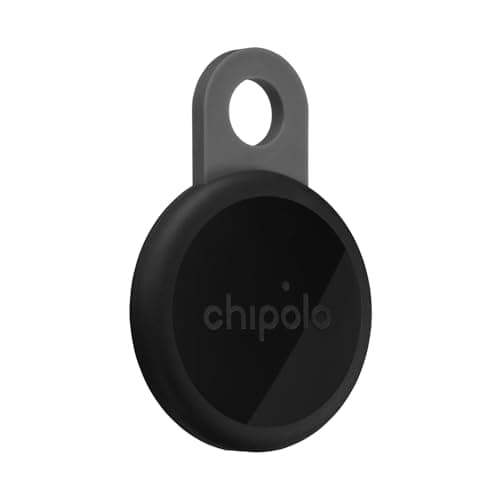
Best overall AirTag alternative
Find Hub on any Android, a stated 125 dB — louder than an AirTag — a loop built in, and no subscription. The closest thing to a straight swap.
#ad · live price from Amazon's product API. Disclosure.
Everything in this section
Head-to-head: AirTag vs Tile
Seven axes: network size, platform support, loudness, battery, subscription, privacy and price. Plus the third option that beats both for many buyers.
Three-way: the big tags compared
The three best-known tags on platform, network, battery, loudness and subscription — with manufacturer figures and the Samsung requirement spelled out.
Head-to-head: AirTag vs SmartTag2
Manufacturer figures side by side on battery, water rating, range, UWB and form factor — and the platform requirement that makes the choice for you.
Head-to-head: AirTag vs Chipolo
A genuinely close comparison: Chipolo wins on loudness, form factor and platform freedom; AirTag on network and Precision Finding.
The decision that comes first
Eight axes between a Bluetooth tag and a cellular GPS tracker, with published plan costs. One question settles it: where it is, or where it was?
Networks compared
Size, device support, third-party tags, privacy model and unwanted-tracker protection on both networks — plus which is better at what.
Best AirTag alternative
Five no-fee Android tags that replace an AirTag, with the Samsung requirement spelled out and the network trade-off stated honestly.
The three technologies
Bluetooth crowd networks, cellular GPS and radio direction-finding compared on positioning, cost, coverage, battery and failure mode.
Head-to-head: Tile vs Chipolo
One small network on both platforms versus one big network per tag. Loudness, battery and the Life360 membership compared.
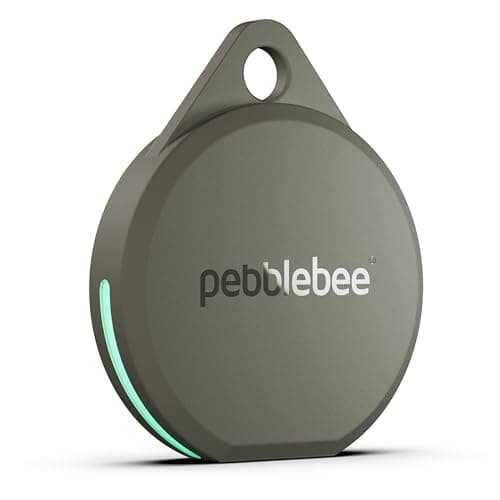
Head-to-head: AirTag vs Pebblebee
Loudness, battery approach, water rating, network and platform freedom — with the manufacturers' own figures for each.
Which phone you carry. This eliminates more of the field than any other factor and it is not negotiable by preference. Find My tags need an iPhone. SmartTag2 needs a Galaxy, not merely an Android. Find Hub tags need Android. Tile works on both and pays for it in network size. Chipolo's dual-network tags work on either, chosen once at setup. Start here and half the comparisons resolve themselves.
Where it was, or where it is. A Bluetooth tag tells you where something was when a phone last passed it. A cellular tracker tells you where something is, continuously, whether anyone is nearby or not. That is not a difference of degree, it is a difference of kind, and it is the difference between twenty-seven dollars and four hundred and eighty across three years. Decide which question you need answered before you compare anything.
After those two, the remaining axes — range, battery, loudness, Ultra Wideband, water rating — are genuine but secondary, and we work through each of them on the individual comparison pages using the manufacturers' published figures with citations.
Manufacturers publish Bluetooth range figures — 120 m for the SmartTag2, 120 m for the Chipolo LOOP, 500 ft for the Pebblebee Clip 5 — and they are all open-field, line-of-sight, nothing-in-the-way numbers. Put a wall between the phone and the tag and the figure collapses. Put the tag in a bag in a car boot and it collapses further.
More importantly, direct range is almost never what finds your item. What finds your item is the crowd network: the tag is heard by a stranger's phone three hundred miles away and the position arrives on yours. Against that, the difference between 120 m and 150 m of direct range is irrelevant.
The exception is indoors, at the end of a search, where you are within direct range and trying to pin down which room. That is where Ultra Wideband earns its place and where loudness matters more than range.
Every comparison on this site includes a case for buying neither device, because the most common error in this category is not choosing wrong between two products — it is choosing between two products when the right answer was a third category entirely.
Comparing two cellular dog collars when the dog never leaves a fenced garden is choosing between two subscriptions you do not need. Comparing two Bluetooth tags for a car you are worried about having stolen is choosing between two devices that cannot do the job. Comparing two kids' trackers for a fourteen-year-old who owns a phone is choosing between two things that will live in a drawer.
We will say so when that is the situation, which is why several of these pages recommend the cheapest thing on the page or nothing at all.
Questions
Also worth reading

The whole point
Five different things get sold as "no monthly fee". Only two of them are. Here is the difference, and what each actually costs across three years.

One device at a time
One device per page: what it is, what the manufacturer claims, what the plan costs across three years, and who should not buy it.