If you think someone may have put a tracker on you or your vehicle, the most effective first step is free and already in your pocket. Both major phone platforms have unwanted-tracker detection built in, and for Bluetooth tags it is better than any gadget you could buy.
Scope note: this page is written for the person being tracked. It covers detection and what to do next. We do not provide guidance on tracking people.
On Android: the manual scan
Android has the more useful tool, because you can run it on demand.
Settings → Safety & emergency → Unknown tracker alerts → Scan now.
It takes about ten seconds. It works on Android 11 and later and does not require Location Services to be enabled. It covers Find Hub network compatible tags, Apple AirTags, and Chipolo, Motorola moto tag and Pebblebee devices.
Make sure the automatic alerts are also switched on in the same menu. The automatic system notifies you when someone else's tracker is separated from its owner and has physically moved with you over time.
On iPhone: automatic alerts, and a manual option
Apple's system is automatic. You are notified when an AirTag, AirPods, a Find My network accessory or a compatible Bluetooth location-tracking device is separated from its owner and seen moving with you over time.
Check these are on first: Settings → Privacy & Security → Location Services (on), → System Services → Significant Locations (on). Then Find My → Tracking Notifications (on). Bluetooth on, Airplane Mode off, iOS 17.5 or later.
When an alert arrives, tap it and tap Continue. From there you can Play Sound to help locate the device, use Find (Find Nearby) for directional guidance on a UWB iPhone where the device is an AirTag, and open Instructions to Disable.
For a manual check, iPhone users can also use the Find My app's Items tab and look for unfamiliar items that have been detected near them.
What this will not find
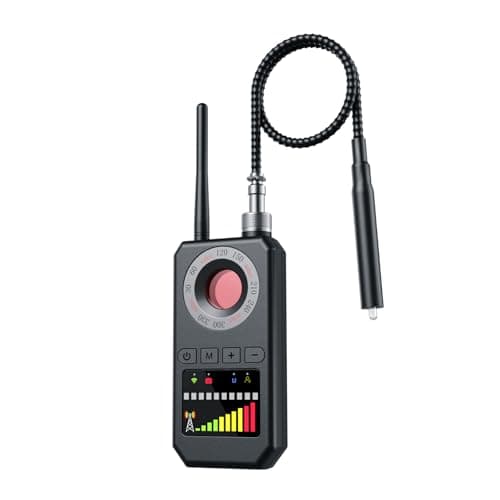
Cellular GPS trackers. Both systems listen for Bluetooth beacons, and a cellular tracker does not beacon — it talks to a cell tower. A magnetic cellular tracker under a car is invisible to your phone's scan on either platform.
That is a real gap, those devices cost under twenty dollars, and finding one requires a different approach entirely. The physical-search procedure is here.
When the automatic alerts will not fire
Four situations worth knowing, because they are the gaps people fall into.
The owner is nearby. Alerts are triggered by a tracker separated from its owner. A tag planted by someone who is also present is not separated, so nothing fires. This matters most in domestic situations.
Short journeys. The system wants to see sustained co-travel before alerting, which prevents constant false alarms from tags in shops and taxis — and means a brief trip may produce nothing.
Your settings are off. On iPhone, Significant Locations switched off for privacy reasons disables the alerts. On Android, the alerts can be off in the menu.
Old phone. Apple's full feature set needs iOS 17.5 or later; Android's manual scan needs Android 11 or later.
Where to search physically, for a Bluetooth tag
If the scan reports something but you cannot find it, or you want to search anyway, tags are small and go in a short list of places.
In a bag: inner pocket seams, the laptop sleeve, under the base panel, in a lining through a small tear, inside a side pocket you never use.
On your person: coat lining and hem, inside a hood, under an insole, a pocket you do not use.
In a car: under seats, in seat-back pockets, the glovebox, the boot side trim, under the spare wheel cover, in a cup holder, under floor mats, inside a door card.
Use the Play Sound option while you search — a tag that chirps is far easier to find than one you are looking for silently. Note that a tag's speaker can be physically disabled, so silence does not mean absence.
If you find one: do these things in this order
1. Do not disable it yet, if you may want to involve the police. Google notes that turning some trackers off triggers a factory reset, which can prevent law enforcement identifying the owner — and the owner link is the evidence.
2. Photograph it in place. Where it was, what it looks like, and any serial number.
3. Get the serial. Holding an iPhone or Android phone near an AirTag reads it over NFC, along with any lost-mode message. Keep that.
4. Keep the alert notification and screenshot it, with its timestamp.
5. Contact local law enforcement. Tracking a person without consent is unlawful in many places — statutes such as California Penal Code § 637.7 prohibit using an electronic tracking device to determine a person's location or movement, with narrow exceptions.
6. Consider wider support. If you believe the person tracking you is a partner, former partner or family member, a domestic-violence advocacy organization can help with the situation around the device, which is usually the larger problem. Please do not treat this as something to handle alone.
Practical habits worth having
Run the Android manual scan, or check Find My's Items tab, after any situation where someone had access to your car or bag — a hire car, a valet, a repair, a shared trip.
And switch the automatic alerts on properly today. Five minutes with the settings is the difference between protection that works and protection that is technically present.