Skip to content
Tag & Tether

Mechanics & law · How Trackers Work

Do AirTags work without Wi-Fi?

An AirTag has no Wi-Fi radio to connect, so the question is really about whose internet it borrows — and the answer changes what you can expect from one.

By Mike M.Last updated


Yes — an AirTag works without your Wi-Fi, because it has no Wi-Fi radio and never connects to a network in the first place. What it needs is a passing Apple device within Bluetooth range, and that device needs an internet connection of its own to upload the sighting. Your home Wi-Fi, your cellular plan and your data allowance have nothing to do with it. The consequence is the thing worth understanding: an AirTag in a busy airport reports within minutes, and an AirTag in an empty field reports nothing at all, no matter how good your own connection is.

There are three radios in an AirTag and none of them is a network radio. Bluetooth Low Energy broadcasts a rotating identifier that nearby Apple devices can hear. Ultra Wideband powers Precision Finding over the last few yards. NFC lets a stranger tap it with a phone to see your contact details if you have marked it lost. There is no Wi-Fi, no SIM, and no GPS receiver — which is why the tag is cheap, why the battery lasts more than a year on a coin cell, and why there is no subscription.

What works with no connection at all

More than people expect. If you are in the same room as the tag, your phone talks directly to it over Bluetooth:

  • Play Sound works. Your phone and the tag are talking to each other directly, with nothing in between.
  • Precision Finding works, on an iPhone with Ultra Wideband. The arrow and the distance are computed locally between the two devices.
  • Separation alerts depend on your phone noticing the tag is no longer nearby, which is a local Bluetooth observation.

So on a plane in airplane mode, in a basement, or out of coverage entirely, the tag is still a perfectly good room-scale finder. That is the half of the product nobody advertises.

What stops without a connection

Everything at a distance. The map in the Find My app needs the sighting to have been uploaded by whoever walked past the tag, and it needs your phone online to fetch it. So:

  • Out of Bluetooth range and no phones nearby: no new location. You see the last place something heard it, with a timestamp that keeps getting older.
  • Your own phone offline: you cannot see updates even if the tag is being spotted, because you cannot reach Apple to read them. The sightings queue up and arrive when you reconnect.
  • Setup: pairing a new AirTag to your Apple account needs your iPhone online. This is the one place where your own connection is genuinely required.

Wi-Fi, cellular, internet: which word matters

People search all three and they mean the same thing here. The tag needs somebody to have a working internet connection — Wi-Fi or cellular, theirs not yours — at the moment they walk past it. That is why coverage maps are the wrong way to think about an AirTag and footfall is the right way. A tag in a dead-signal subway station full of people often reports the moment one of them surfaces; a tag on a mountain with four bars of your own 5G and nobody else around reports nothing.

What to look for if there is genuinely no network

If the place you care about has neither phones nor coverage — a rural property, a hunting lease, a workshop at the back of a yard — then no crowd-sourced tag will help you and the thing to look for is a technology with no network in it at all:

Radio direction-finding. A handheld that talks straight to a transmitter. No SIM, no servers, no fee, and it works where there is nothing. The limit is that it only helps somebody standing within range holding the receiver.

Cellular GPS, if there is coverage but no people. A cellular tracker does not need other people's phones — it has its own SIM. It does need a carrier signal, and it does need a monthly plan, which is the trade. Which trackers need the internet, by category.

A loud alarm, if the item is nearby but hidden. This is the underrated one. Most “lost” things are in the house, and a 130 dB siren is a complete solution that involves no network whatsoever.

The short answer

Quick picks

Ranked by what each one costs to own for three years, not by sticker price. The plan column is the one most comparisons leave out.

#ProductBest forPlan / 3 yrPrice
01
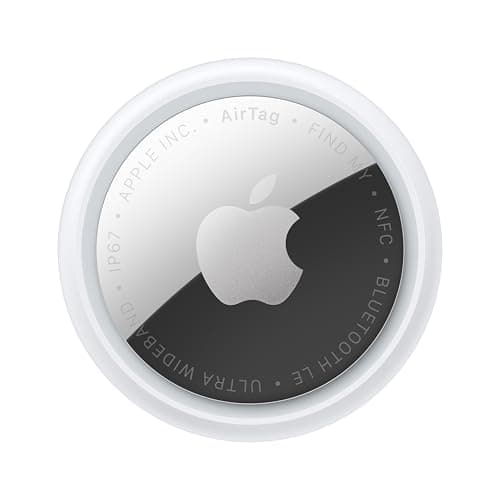
Apple Apple AirTag (2nd generation)
Apple AirTag (2nd generation)

No Wi-Fi radio, no SIM and no GPS — it borrows a passing iPhone's connection. In populated places that is the fastest-reporting finder there is, and it costs nothing per month.

Anywhere there are iPhonesNo monthly fee

$0 + batteries

$24.00Amazon
02
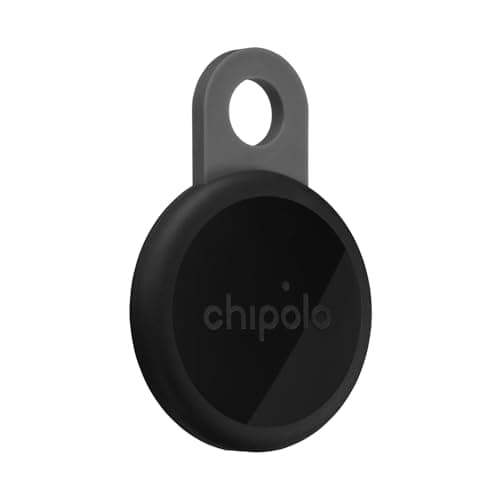
Chipolo Chipolo LOOP
Chipolo LOOP

Works with Apple Find My or Google Find Hub, so the phones it can borrow from are whichever platform is actually around you. Same offline limits, wider pool of helpers.

Borrowing from either network's phonesNo monthly fee

$0

$39.00Amazon
03
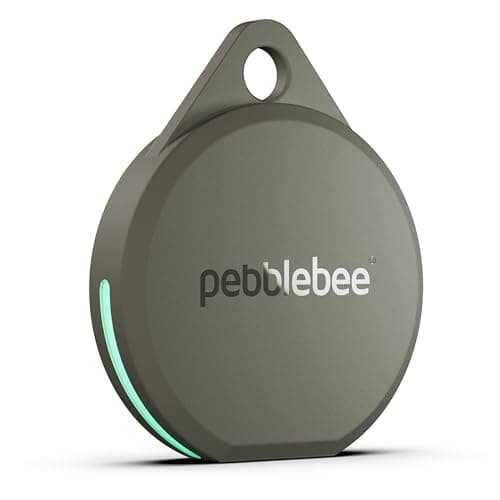
Pebblebee Pebblebee Clip 5
Pebblebee Clip 5

A stated 130 dB siren is the feature that works when nothing else does: your phone talks straight to the tag over Bluetooth and the tag screams. No internet involved in that at all.

Finding something with no connection at allNo monthly fee

$0

$34.99Amazon

#ad · Live prices from Amazon's product API, as of October 22, 2026. Where we have no verified live price we show none — a gap beats a number that has rotted. Plan figures are the brands' own published rates, cited in Sources below.

In detail

The picks, in full

Apple Apple AirTag (2nd generation)
$24.00View on Amazon

$29.0017% off

Price as of October 22, 2026. Prices move — Amazon's at checkout is the one that counts.

#ad · we may earn a commission from this link to Apple AirTag (2nd generation)

Top pickNo monthly fee#01 · Apple

Apple AirTag (2nd generation)

Anywhere there are iPhones

No Wi-Fi radio, no SIM and no GPS — it borrows a passing iPhone's connection. In populated places that is the fastest-reporting finder there is, and it costs nothing per month.

The subscription reality

No subscription. The only recurring cost is a CR2032 roughly once a year, which is pennies.

Over three years:
about $3 in coin cells

Specs, as published by Apple

  • User-replaceable CR2032 coin cell; Apple states it runs more than a year
  • IP67 (1 m for up to 30 minutes, IEC 60529)
  • Ultra Wideband Precision Finding, 1.5x the range of the first generation
  • Speaker 50% louder than the first generation

Good

  • No subscription, and Apple has never charged one
  • The Find My network is the largest crowd network in the world, so a lost AirTag in a populated area usually reports within minutes
  • Precision Finding walks you to it by distance and direction, not just a map pin
  • Battery is a coin cell from any supermarket, not a sealed pack

Not so good

  • iPhone only for setup and full use — there is no Android app
  • It has no GPS of its own: it reports when an Apple device walks past it, so it is a finder, not a tracker
  • No keyring hole, so you are buying a holder as well

Skip it if

you are on Android, or you need to watch something move in real time — an AirTag only knows where it was when someone last walked past it.

Chipolo Chipolo LOOP
$39.00View on Amazon

Price as of October 22, 2026. Prices move — Amazon's at checkout is the one that counts.

#ad · we may earn a commission from this link to Chipolo LOOP

No monthly fee#02 · Chipolo

Chipolo LOOP

Borrowing from either network's phones

Works with Apple Find My or Google Find Hub, so the phones it can borrow from are whichever platform is actually around you. Same offline limits, wider pool of helpers.

The subscription reality

No subscription, now or later. The purchase price is the whole cost of ownership.

Over three years:
$0

Specs, as published by Chipolo

  • Rechargeable over USB-C; Chipolo states about a year per charge
  • IP67, up to 30 minutes in 1 m of water
  • About 125 dB stated alarm
  • Up to 120 m (400 ft) stated Bluetooth range

Good

  • Works with Apple Find My or Google Find Hub, so it is the one tag you can buy without knowing which phone you will own next
  • No subscription at all, and Chipolo's own app features are free
  • Loud — 125 dB stated is well above an AirTag
  • Built-in loop, so it goes straight on a keyring

Not so good

  • You pick one network at setup; switching later means a reset
  • Rechargeable means a dead tag is a tag you have to find a cable for, not swap a coin cell into
  • USB-C cable is not in the box

Skip it if

you would rather drop in a fresh coin cell than remember to charge a keyring once a year.

Pebblebee Pebblebee Clip 5
$34.99View on Amazon

Price as of October 22, 2026. Prices move — Amazon's at checkout is the one that counts.

#ad · we may earn a commission from this link to Pebblebee Clip 5

No monthly fee#03 · Pebblebee

Pebblebee Clip 5

Finding something with no connection at all

A stated 130 dB siren is the feature that works when nothing else does: your phone talks straight to the tag over Bluetooth and the tag screams. No internet involved in that at all.

The subscription reality

No subscription, now or later. The purchase price is the whole cost of ownership.

Over three years:
$0

Specs, as published by Pebblebee

  • Rechargeable over USB-C; Pebblebee states up to 12 months per charge
  • 130 dB stated siren
  • IP66 water resistance
  • Works with Apple Find My or Google Find Hub

Good

  • 130 dB stated siren is the loudest claim of any mainstream tag — it is the one you can hear through a sofa
  • No subscription
  • Dual-network, and Pebblebee states it has no access to your location data
  • 12 months per charge is a real year, not a marketing year

Not so good

  • IP66 rather than IP67, so it is rain-rated rather than dunk-rated
  • Charge cable not included
  • One network per tag, chosen at setup

Skip it if

the tag will live somewhere that gets properly submerged — a dog's water bowl, a kayak — where IP67 is the floor.

Three real scenarios

Checked luggage on an international flight. Works well, and this is the AirTag's best use case. Airports are the densest iPhone environments on earth, so a bag sitting in the wrong terminal usually reports as soon as it is near people. The checked-luggage rules in full.

A cabin at the end of a dirt road. Works badly. No phones, often no coverage. A tag on the snowmobile tells you where it was when you last walked past it with your own phone, which is not tracking.

Your keys, somewhere in the house, Wi-Fi down. Works perfectly. Play Sound and Precision Finding are local; the outage is irrelevant.

The low-battery and offline-sighting detail

Sightings are uploaded by the stranger's device, not by you, so they can arrive out of order and with delays. A location timestamped forty minutes ago is normal and is not a fault. What you should not do is treat a stale pin as current and drive to it — read the timestamp first, every time. On a moving object this matters enormously, which is the core reason a tag is not a vehicle tracker. Where it was versus where it is.

Does an Android phone help find an AirTag?

Not for you. Android phones scan for unknown trackers to warn their owners, which is an anti-stalking feature rather than a finding one, and they do not contribute sightings to Apple's network. So in a household or a country where Android dominates, an AirTag's effective network is smaller than the raw phone count suggests. A dual-network tag sidesteps this by being findable on whichever platform is actually around you.

The cost angle, since this is the point of the site

The reason an AirTag has no monthly fee is precisely that it has no network of its own: Apple is not paying a carrier for it, so there is nothing to pass on to you. Every tracker that reports from anywhere, with nobody around, has a SIM in it — and every one of those has a bill. Why the fees exist, and which ones are avoidable.

If the place with no phones is a trail rather than a yard, the comparison that matters is satellite against cellular: trackers vs satellite messengers for hiking.
Questions

Frequently asked

Do AirTags work without Wi-Fi?
Yes. An AirTag has no Wi-Fi radio at all, so it never connects to your network and your Wi-Fi being down changes nothing. What it needs is a passing Apple device within Bluetooth range, and that device needs its own internet connection to upload the sighting. Close up, your phone talks straight to the tag, so Play Sound and Precision Finding work with no connection whatsoever.
Do AirTags work without cell service?
The tag itself needs no cell service — it has no SIM. Finding something at a distance needs somebody nearby to have a connection, Wi-Fi or cellular, at the moment they walk past it. So an AirTag in a crowded place with poor coverage often reports as soon as someone moves into signal, while an AirTag somewhere with great coverage and no people reports nothing at all. Footfall matters more than coverage.
Can you set up an AirTag without internet?
No. Pairing a new AirTag to your Apple account is the one step that genuinely requires your own iPhone to be online, because the tag has to be associated with your Apple ID on Apple's servers. After that, close-range functions work offline. If you are setting up a tag for a trip, pair it at home rather than at the gate.
Does an AirTag need the internet to make a sound?
No. Play Sound is a direct Bluetooth conversation between your phone and the tag, so it works in airplane mode, in a basement, or with the router unplugged. Precision Finding is the same — the arrow and distance are worked out locally over Ultra Wideband between your iPhone and the tag. Only the map needs a connection, because the map shows sightings uploaded by other people.
What tracker works with no network at all?
Radio direction-finding: a handheld receiver that talks straight to a transmitter on the thing you are tracking, with no SIM, no servers and no subscription. That is what hunting-dog systems and some pet finders use, and it is the only category that genuinely works off-grid. A cellular GPS tracker does not need other people's phones, but it does need carrier coverage and a monthly plan, so it solves a different half of the problem.

Read next

Where the figures came from

Sources

Every specification and plan price on this page traces to one of these, read on the date shown. Device prices are live from Amazon and stamped separately.

  1. Apple — AirTag product page (battery, IP67, Precision Finding) — accessed 2026-10-05
  2. Apple Support — if you get an alert that an AirTag or Find My network accessory is with you — accessed 2026-10-05
  3. Chipolo — LOOP product page (battery, IP67, 125 dB, 120 m) — accessed 2026-10-05
  4. Pebblebee — Clip 5 product page (12 months per charge, IP66, dual network) — accessed 2026-10-05