Under FAA rules, yes — a tracker with its battery installed may travel in checked baggage. The rule that governs this is about batteries rather than trackers, and it is worth reading once properly, because the distinction it draws is the thing people get wrong.
The rule: installed versus spare
The FAA's PackSafe guidance requires spare, uninstalled lithium batteries — including power banks, portable chargers and phone battery cases — to be carried in the cabin, not in checked baggage. Spare batteries are the thing the rule is aimed at, because a loose cell can short against metal.
A battery installed in a device falls under the separate provision for portable electronic devices containing batteries, and is permitted in checked baggage.
There is also a size limit: lithium metal (non-rechargeable) batteries are limited to 2 grams of lithium content per battery, and lithium ion to 100 watt hours. A CR2032 coin cell holds a small fraction of the 2-gram figure, so an AirTag, a SmartTag2 or any coin-cell tag is comfortably inside the limit.
So the practical summary: the tag goes in the suitcase, the spare cells go in your carry-on.
What about the Lufthansa story?
You may have read that an airline banned AirTags in checked bags. One carrier did briefly take that position in 2022 and reversed it. The episode is why the question keeps being asked and why the answer needs the caveat below.
The caveat that actually matters
Airlines may be stricter than the FAA, and the airline's own policy governs your flight. The FAA sets a floor; a carrier can impose additional restrictions, and several impose stricter rules on power banks specifically.
So the document to read is your carrier's own dangerous-goods or baggage policy page, for the airline you are actually flying rather than the one you usually fly. It takes two minutes and it is the only authority that applies to you on the day.
The short answer
Quick picks
Ranked by what each one costs to own for three years, not by sticker price. The plan column is the one most comparisons leave out.
| # | Product | Best for | Plan / 3 yr | Price |
|---|
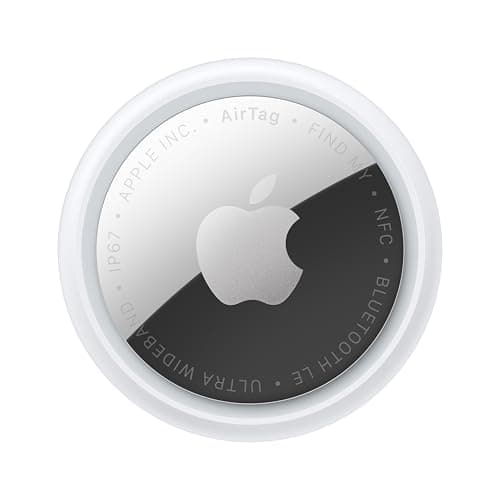
| 01 | Apple AirTag (2nd generation)A CR2032 installed in a sealed device, which is exactly the category the FAA permits in checked baggage. Well under the 2-gram lithium limit. | The tag in question | No monthly fee $0 + batteries | $24.00·Amazon |
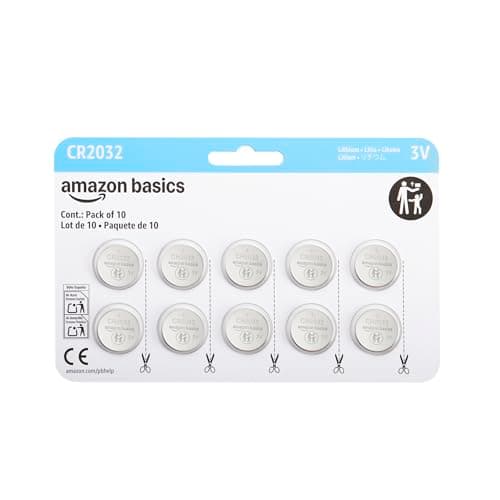
| 02 | CR2032 coin cells (multi-pack)Spare, uninstalled lithium cells must travel in the cabin under FAA rules. Buy a multi-pack, keep it in your hand luggage, not the suitcase. | Spares — in your carry-on | No monthly fee $0 | $9.99·Amazon |
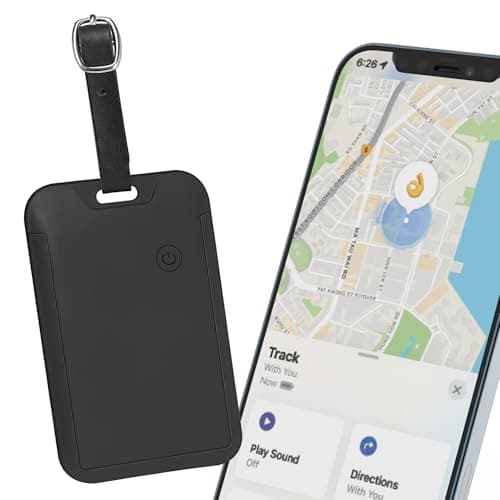
| 03 | | Hiding it inside the case | No monthly fee $0 + batteries | $17.38·Amazon |
#ad · Live prices from Amazon's product API, as of October 8, 2026. Where we have no verified live price we show none — a gap beats a number that has rotted. Plan figures are the brands' own published rates, cited in Sources below.
In detail
The picks, in full
Top pickNo monthly fee#01 · Apple
Apple AirTag (2nd generation)
The tag in question
A CR2032 installed in a sealed device, which is exactly the category the FAA permits in checked baggage. Well under the 2-gram lithium limit.
The subscription reality
No subscription. The only recurring cost is a CR2032 roughly once a year, which is pennies.
- Over three years:
- about $3 in coin cells
Specs, as published by Apple
- ·User-replaceable CR2032 coin cell; Apple states it runs more than a year
- ·IP67 (1 m for up to 30 minutes, IEC 60529)
- ·Ultra Wideband Precision Finding, 1.5x the range of the first generation
- ·Speaker 50% louder than the first generation
Good
- +No subscription, and Apple has never charged one
- +The Find My network is the largest crowd network in the world, so a lost AirTag in a populated area usually reports within minutes
- +Precision Finding walks you to it by distance and direction, not just a map pin
- +Battery is a coin cell from any supermarket, not a sealed pack
Not so good
- −iPhone only for setup and full use — there is no Android app
- −It has no GPS of its own: it reports when an Apple device walks past it, so it is a finder, not a tracker
- −No keyring hole, so you are buying a holder as well
Skip it if
you are on Android, or you need to watch something move in real time — an AirTag only knows where it was when someone last walked past it.
No monthly fee#02 · Amazon Basics
CR2032 coin cells (multi-pack)
Spares — in your carry-on
Spare, uninstalled lithium cells must travel in the cabin under FAA rules. Buy a multi-pack, keep it in your hand luggage, not the suitcase.
The subscription reality
No subscription, now or later. The purchase price is the whole cost of ownership.
- Over three years:
- $0
Specs, as published by Amazon Basics
- ·CR2032 3V lithium
- ·Multi-pack
- ·The battery used by AirTag and SmartTag2
Good
- +A year of AirTag ownership costs about a dollar in batteries
- +Multi-pack covers several tags for years
- +Universally available
Not so good
- −Some bitter-coated cells do not seat properly in an AirTag — a known, widely reported fit issue
- −Coin cells are a serious swallowing hazard around small children
- −Shelf life is finite
Skip it if
there are toddlers in the house and you will not store these locked away. Coin cells cause severe internal injuries if swallowed.
No monthly fee#03 · Travel Depot
Hidden luggage tracker for Find My
Hiding it inside the case
Permitted and discreet. A tag hidden in the lining is both compliant and far more likely to still be there when the bag turns up.
The subscription reality
No subscription. The only recurring cost is a CR2032 roughly once a year, which is pennies.
- Over three years:
- about $3 in coin cells
Specs, as published by Travel Depot
- ·Works with Apple Find My
- ·Designed to hide inside a suitcase lining rather than hang off the handle
- ·Replaceable battery
Good
- +Hidden rather than dangling, which is the point for a checked bag
- +No subscription
- +Cheap enough to put in every bag
Not so good
- −Find My only
- −No UWB
- −Generic brand
Skip it if
you are on Android — use a Chipolo or Moto Tag in Find Hub mode instead.
Why this rule exists, which makes it easier to remember
The concern is thermal runaway: a damaged, overheated or short-circuited lithium cell can ignite, and a fire in the cabin is manageable because there are people and extinguishers there, while a fire in the hold is not.
A loose battery rolling around a bag can short against keys or coins. A battery sealed inside a device cannot easily do that, which is why the rule distinguishes between them rather than banning batteries outright.
Understanding the reasoning makes the rule intuitive: loose cells travel with people.
Practical packing notes
Spare coin cells go in the cabin. If you are taking a multi-pack to swap batteries on a long trip, that pack belongs in your hand luggage. Keep them in their retail card rather than loose in a pocket, which also satisfies the general advice about protecting terminals from short circuit.
Power banks are stricter, and often confused with this. Portable chargers must be in the cabin, and several airlines now limit how many you may carry and prohibit using them in flight. If you are also traveling with a power bank, check that rule separately — it is the one carriers have been tightening.
Rechargeable tags are also fine. A Chipolo or Pebblebee with a sealed rechargeable cell is a battery installed in a device, same as a coin cell. It is not a spare battery.
Do not try to turn the tag off. The rule for devices in checked baggage is that they should be switched off and protected from accidental activation, which applies to things with a power switch. A sealed tag has no switch and emits a trivial Bluetooth beacon; this has never been treated as a problem.
International travel
The underlying rules come from ICAO's dangerous-goods framework, so the installed-versus-spare distinction is broadly consistent internationally rather than being a US quirk. What varies is airline policy and, occasionally, how a particular security screening treats a questioned item.
If you are connecting between carriers, the stricter policy of the two is the practical one to follow.
The other question hiding behind this one
A lot of people searching this are not really asking about regulations — they are asking whether a tracker in a checked bag is worth it.
It is, and it is the single best use of a Bluetooth tag there is. Baggage halls and sorting facilities are dense with phones, so a tag reports from inside them better than a cellular tracker usually manages. We work that comparison through here, and placement and Lost Mode are covered here.
How we picked
We did not lab-test these trackers
Everyone in this category claims to have tested twenty devices. We have not tested any of them, and we say so on every page. What we did instead: read each manufacturer's published specifications and cite them with the date, find the actual subscription price and cite that too, and work out what thirty-six months of ownership costs at those published figures. Device prices come live from Amazon's API and expire after 48 hours rather than going stale. Where a figure could not be sourced to the manufacturer, the page says the spec is unconfirmed rather than borrowing it from a competitor's review. The full method is on the methodology page.
Working out what a tracker really costs? See the three-year cost of every tracker, compared.
Read next
Related
The table behind every recommendation on this site: device, plan, and what thirty-six months actually comes to.
Placement, Lost Mode, and using the data at a baggage desk.
Which tag to buy, by phone platform.
Including the bitter-coating problem that stops some cells seating.
Whether a tracker in a checked bag is worth it at all.
Bluetooth tags, cellular GPS and radio direction-finding are different products, not price tiers.