Skip to content
Tag & Tether

Travel & trade · Luggage, Tools & Gear Trackers

Using an AirTag for luggage

The tag is the easy part. Placement, Lost Mode and knowing how to use the data at a baggage desk are what get a bag back.

By Mike M.Last updated

#ad — we earn a commission if you buy through the links on this page, at no cost to you. It never changes what we recommend, and the structural reason it cannot is that we recommend the no-subscription devices, which pay the least. Full disclosure.


An AirTag in a suitcase works extremely well, and the reason is worth understanding because it tells you how to use it. A bag goes missing in an airport, a baggage facility or a delivery depot, and all three are full of iPhones. The tag reports from inside the building, repeatedly, with accuracy good enough to say which terminal.

That is why so many travelers now know where their bag is before the airline does. What decides whether it works for you is three things, and only one of them is the tag.

1. Where you put it

Hide it, do not hang it. A tag clipped to the outside of a handle is a tag anyone handling the bag can remove in two seconds, and that includes the handler you most want tracked.

Hiding places, best first:

  1. Sewn into the lining. Unpick a few centimeters of a seam, drop the tag in, sew it shut. Permanent, invisible, ten minutes of work.
  2. Under the base stiffener panel. Most soft cases have a board at the bottom with a gap behind it. No sewing, completely hidden.
  3. In the laptop sleeve, taped flat. Quick and survives most trips.
  4. Inside an internal zipped pocket nothing else uses. Acceptable, if you will not unpack it by accident.
  5. Clipped to the handle. Only as a deliberate visible deterrent, and ideally with a locking holder.

A fabric case does not block Bluetooth meaningfully. A rigid shell attenuates more, so in a ski tube or a golf travel case prefer an external pocket over the deepest recess.

2. Lost Mode, set up before you fly

Turn on Lost Mode and put a phone number and email in the message. This is the step almost nobody does in advance and it is the one that recovers bags.

Here is the mechanism. Anyone — including an Android user — who finds the bag and taps their phone against the tag gets your Lost Mode message with your contact details. Without Lost Mode configured, a stranger's phone shows them how to disable the tag instead. One setting, two completely different outcomes.

Pair it with a paper name-and-number card inside the bag. Between them, a well-meaning finder has two routes to you.

3. Knowing what the silence means

Expect no updates in the air. The hold is a metal box and there are no phones in it. You will get a position when the bag reaches the terminal.

That silence is not a failure, and knowing it in advance saves you a very anxious flight.

The short answer

Quick picks

Ranked by what each one costs to own for three years, not by sticker price. The plan column is the one most comparisons leave out.

#ProductBest forPlan / 3 yrPrice
01
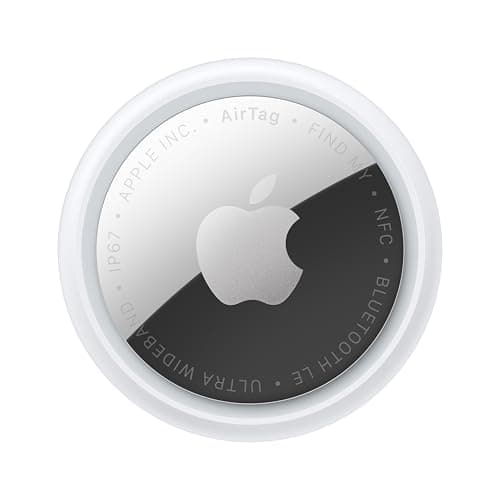
Apple Apple AirTag (2nd generation)
Apple AirTag (2nd generation)

No fee, over a year per coin cell, and the densest finding network there is. In a baggage hall it reports better than most cellular trackers would.

The tag itselfNo monthly fee

$0 + batteries

$24.00Amazon
02
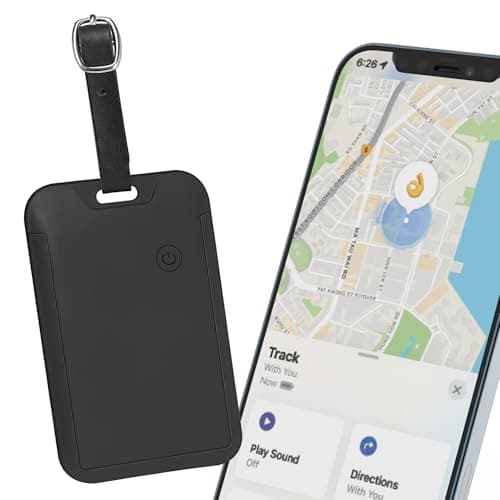
Travel Depot Hidden luggage tracker for Find My
Hidden luggage tracker for Find My

Shaped to sit flat inside a lining rather than hang off a handle, which is the single biggest factor in whether the tag is still there when the bag is found.

Best hidden holderNo monthly fee

$0 + batteries

$17.38Amazon
03
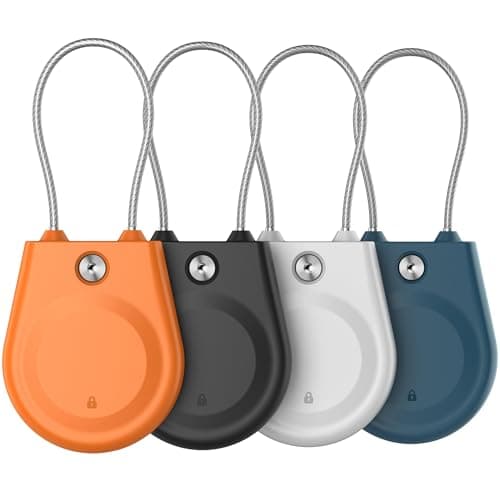
Generic AirTag luggage lock case
AirTag luggage lock case

A locking case with a steel cable, for when you want the bag to announce that it is tracked. A cable can be cut; a clip can be opened by hand.

A visible deterrentNo monthly fee

$0

$9.43Amazon
04
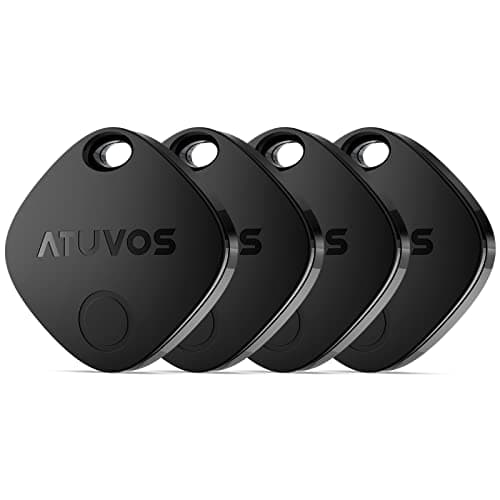
ATUVOS ATUVOS tracker tags (4-pack)
ATUVOS tracker tags (4-pack)

Four Find My tags for about the price of one AirTag — because the bag that goes missing is never the one you tagged.

Tagging the whole family's bagsNo monthly fee

$0 + batteries

$18.97Amazon

#ad · Live prices from Amazon's product API, as of October 8, 2026. Where we have no verified live price we show none — a gap beats a number that has rotted. Plan figures are the brands' own published rates, cited in Sources below.

In detail

The picks, in full

Apple Apple AirTag (2nd generation)
$24.00View on Amazon

$29.0017% off

Price as of October 8, 2026. Prices move — Amazon's at checkout is the one that counts.

#ad · we may earn a commission from this link to Apple AirTag (2nd generation)

Top pickNo monthly fee#01 · Apple

Apple AirTag (2nd generation)

The tag itself

No fee, over a year per coin cell, and the densest finding network there is. In a baggage hall it reports better than most cellular trackers would.

The subscription reality

No subscription. The only recurring cost is a CR2032 roughly once a year, which is pennies.

Over three years:
about $3 in coin cells

Specs, as published by Apple

  • User-replaceable CR2032 coin cell; Apple states it runs more than a year
  • IP67 (1 m for up to 30 minutes, IEC 60529)
  • Ultra Wideband Precision Finding, 1.5x the range of the first generation
  • Speaker 50% louder than the first generation

Good

  • No subscription, and Apple has never charged one
  • The Find My network is the largest crowd network in the world, so a lost AirTag in a populated area usually reports within minutes
  • Precision Finding walks you to it by distance and direction, not just a map pin
  • Battery is a coin cell from any supermarket, not a sealed pack

Not so good

  • iPhone only for setup and full use — there is no Android app
  • It has no GPS of its own: it reports when an Apple device walks past it, so it is a finder, not a tracker
  • No keyring hole, so you are buying a holder as well

Skip it if

you are on Android, or you need to watch something move in real time — an AirTag only knows where it was when someone last walked past it.

Travel Depot Hidden luggage tracker for Find My
$17.38View on Amazon

$21.9921% off

Price as of October 8, 2026. Prices move — Amazon's at checkout is the one that counts.

#ad · we may earn a commission from this link to Hidden luggage tracker for Find My

No monthly fee#02 · Travel Depot

Hidden luggage tracker for Find My

Best hidden holder

Shaped to sit flat inside a lining rather than hang off a handle, which is the single biggest factor in whether the tag is still there when the bag is found.

The subscription reality

No subscription. The only recurring cost is a CR2032 roughly once a year, which is pennies.

Over three years:
about $3 in coin cells

Specs, as published by Travel Depot

  • Works with Apple Find My
  • Designed to hide inside a suitcase lining rather than hang off the handle
  • Replaceable battery

Good

  • Hidden rather than dangling, which is the point for a checked bag
  • No subscription
  • Cheap enough to put in every bag

Not so good

  • Find My only
  • No UWB
  • Generic brand

Skip it if

you are on Android — use a Chipolo or Moto Tag in Find Hub mode instead.

Generic AirTag luggage lock case
$9.43View on Amazon

$11.7920% off

Price as of October 8, 2026. Prices move — Amazon's at checkout is the one that counts.

#ad · we may earn a commission from this link to AirTag luggage lock case

No monthly fee#03 · Generic

AirTag luggage lock case

A visible deterrent

A locking case with a steel cable, for when you want the bag to announce that it is tracked. A cable can be cut; a clip can be opened by hand.

The subscription reality

No subscription, now or later. The purchase price is the whole cost of ownership.

Over three years:
$0

Specs, as published by Generic

  • Locking case so the tag cannot be unclipped
  • Fits 1st and 2nd generation AirTag
  • Steel cable loop

Good

  • Cannot be removed by hand
  • Visible deterrent
  • Cheap

Not so good

  • Visible
  • Cable can be cut
  • Bulkier than a hidden holder

Skip it if

you would rather the tag were not found at all — hide it inside the bag instead.

ATUVOS ATUVOS tracker tags (4-pack)
$18.97View on Amazon

$26.9930% off

Price as of October 8, 2026. Prices move — Amazon's at checkout is the one that counts.

#ad · we may earn a commission from this link to ATUVOS tracker tags (4-pack)

No monthly fee#04 · ATUVOS

ATUVOS tracker tags (4-pack)

Tagging the whole family's bags

Four Find My tags for about the price of one AirTag — because the bag that goes missing is never the one you tagged.

The subscription reality

No subscription. The only recurring cost is a CR2032 roughly once a year, which is pennies.

Over three years:
about $3 in coin cells

Specs, as published by ATUVOS

  • Four tags, each with a replaceable coin cell
  • Works with Apple Find My
  • Cases included on most listings

Good

  • The cheapest per-tag cost of anything that works on Apple's network
  • No fee
  • Replaceable batteries

Not so good

  • Find My only
  • No UWB
  • A no-name brand is a real risk on a device you want to still be supported in three years

Skip it if

the tag is guarding something expensive. For luggage and keys the price is right; for a camera bag, buy the first-party tag.

Using the data at a baggage desk

This is where most of the value is realized, and doing it well makes a real difference.

Screenshot before you queue. The position, the timestamp, the map, and the tag name. Positions change while you wait, and a screenshot is far easier to show an agent than a phone you are scrolling.

File the formal report regardless. A tracker position is not a claim. Lodge the missing-bag report, get the reference number, and offer the tag data as supporting information. Compensation and tracing both run off the reference, not off your screenshot.

Be specific and reasonable. “My tracker last reported at 14:20 in the baggage area of this terminal” is useful. The agent in front of you did not lose the bag, frequently cannot see what you can see, and is the person who will escalate it if you keep them on your side.

Keep watching. A bag that reports from a different city overnight has been mis-tagged onto a flight, and telling the airline exactly which city is the single most useful thing a passenger can do.

Battery, and the pre-trip check

Apple states an AirTag runs more than a year on a standard CR2032 based on everyday average usage. In a suitcase that is rarely rung, expect at least that.

Build one habit: before a trip, open Find My and ring the tag. A tag that does not ring has a flat battery, and the low-battery notification is easy to dismiss months earlier without registering. Thirty seconds, and it is the difference between a tracked bag and a placebo.

Carry a spare coin cell in your carry-on, not the checked bag — FAA rules require spare lithium batteries to travel in the cabin.

Two tags, in different places

On a bag that matters, use two: one in the lining, one somewhere else entirely. If a handler finds and removes one, the other keeps reporting; and at multi-pack prices the second tag costs almost nothing.

The same logic across the family: tag every bag rather than the one you think is most valuable. The bag that goes astray is never the one you planned for.

The notification a handler might get

Both platforms alert someone when a tracker that is not theirs has been traveling with them over time. A baggage handler who spends a shift beside your bag may therefore be notified.

In practice this rarely matters — the alert needs sustained co-travel, which a bag on a belt does not usually produce — and with Lost Mode configured the notification shows your contact details, which is a help rather than a hindrance. It is another reason to set Lost Mode up before you fly.
How we picked

We did not lab-test these trackers

Everyone in this category claims to have tested twenty devices. We have not tested any of them, and we say so on every page. What we did instead: read each manufacturer's published specifications and cite them with the date, find the actual subscription price and cite that too, and work out what thirty-six months of ownership costs at those published figures. Device prices come live from Amazon's API and expire after 48 hours rather than going stale. Where a figure could not be sourced to the manufacturer, the page says the spec is unconfirmed rather than borrowing it from a competitor's review. The full method is on the methodology page.

Working out what a tracker really costs? See the three-year cost of every tracker, compared.

Questions

Frequently asked

Where is the best place to put an AirTag in a suitcase?
Hidden inside, not clipped to the handle. Sewn into the lining through a small unpicked seam is best and takes ten minutes; behind the base stiffener panel is the best no-sewing option and is completely invisible; the laptop sleeve taped flat is the quick version. A fabric case does not block Bluetooth meaningfully, but a rigid ski tube or golf case does, so use an external pocket on those.
Should I turn on Lost Mode for a luggage AirTag?
Yes, and before you fly rather than after the bag goes missing. With Lost Mode configured, anyone who finds the bag — including an Android user — can tap their phone to the tag and see your phone number. Without it, a stranger's phone shows them how to disable the tag instead. One setting, two completely different outcomes. Pair it with a paper name card inside the bag.
Why is my AirTag not updating during the flight?
Because the hold is a metal box with no phones in it. An AirTag has no GPS and no cellular radio — it reports only when a passing Apple device hears its Bluetooth signal, and there are none in a cargo hold. Expect silence in the air and a position report once the bag reaches the terminal. That is normal rather than a fault.
Will the airline do anything if my AirTag shows where the bag is?
Sometimes, and you improve the odds considerably by doing two things. Screenshot the position and timestamp before you queue, because positions change and a screenshot is far easier to show an agent than a phone you are scrolling. And file the formal missing-bag report regardless, because tracing and compensation both run off that reference number — offer the tag data as supporting information rather than instead of the paperwork.
Can I take a spare AirTag battery in my checked bag?
No. FAA rules require spare, uninstalled lithium batteries — including coin cells — to be carried in the cabin rather than in checked baggage. A battery installed inside a tag is fine in a checked bag, because it counts as part of a portable electronic device. So the tag travels in the suitcase and the spare cell travels with you.
How many AirTags should I use for luggage?
Two per bag that matters — one in the lining and one somewhere else entirely, so a handler who finds and removes one leaves the other reporting. And across the family, tag every bag rather than the one you think is most valuable, because the bag that goes astray is never the one you planned for. A four-pack costs about what one first-party tag does.

Read next

Where the figures came from

Sources

Every specification and plan price on this page traces to one of these, read on the date shown. Device prices are live from Amazon and stamped separately.

  1. Apple — AirTag product page (battery, IP67, Precision Finding) — accessed 2026-10-05
  2. Apple Support — if you get an alert that an AirTag or Find My network accessory is with you — accessed 2026-10-05
  3. FAA PackSafe — lithium batteries (spares in carry-on only; 2 g lithium metal limit) — accessed 2026-10-05
  4. Amazon Product Advertising / Creators API — live prices and product images — accessed 2026-10-05