For a few years the honest answer to “what is the best luggage tracker for Android” was “none of them”. Google had no crowd network, Tile's own network was thin, and the one tag with an enormous network did not work on Android at all.
That has changed. Google Find Hub is a real network, it is open to third-party tags, and there are now several good Android luggage tags. All of them cost nothing to run, because Bluetooth tags have no SIM and no data for anyone to bill.
The trap, stated first
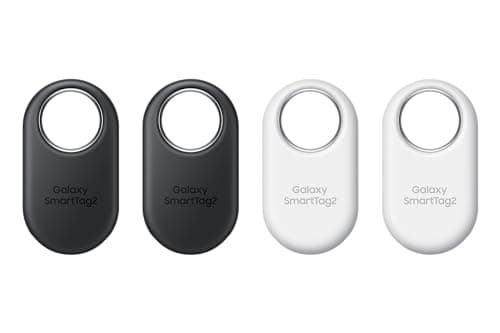
Samsung's SmartTag2 needs a Galaxy phone, not just an Android phone. Samsung states the requirement as Galaxy smartphones or tablets running Android 9 or later, with UWB features needing a UWB-enabled Galaxy device.
A Pixel, a OnePlus, a Motorola or a Nothing phone will not set one up, however much the packaging implies general Android compatibility. This catches people out constantly and it is the single most useful thing to know before buying in this category.
If you carry a Galaxy, the SmartTag2 is excellent and its 500 stated days is the longest battery claim in the business. If you carry any other Android, you want a Find Hub tag.
Which network, and how big is it really
Google Find Hub is the general Android network and the one open to third parties — Chipolo, Pebblebee and Motorola all make Find Hub tags. It is younger and smaller than Apple's Find My and growing, and it is by a wide margin the largest network available to a non-Samsung Android user.
Samsung SmartThings Find includes Galaxy devices only. Smaller than Find Hub in principle, still very large in practice, and on a Galaxy you also get UWB precision that Find Hub tags generally do not match.
Tile's own network is the smallest of the three. Its compensating advantage is real: one tag, one app, identical behavior on iPhone and Android, which is exactly right for a household traveling with both.
For luggage specifically, network size matters less than it does for keys, because airports are dense with phones of every kind. A Find Hub tag in a baggage hall will be heard.
The short answer
Quick picks
Ranked by what each one costs to own for three years, not by sticker price. The plan column is the one most comparisons leave out.
| # | Product | Best for | Plan / 3 yr | Price |
|---|
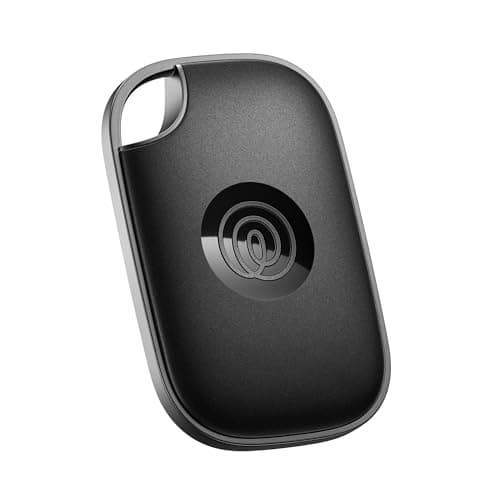
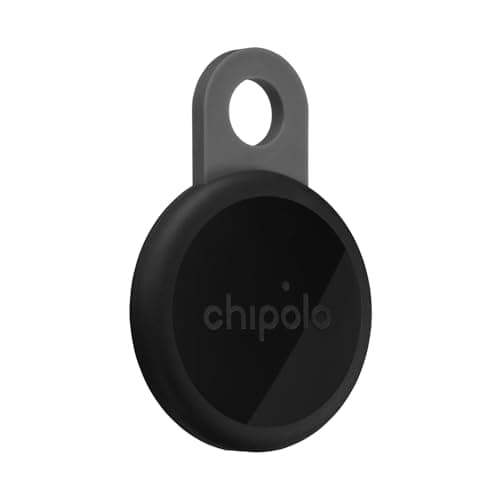
| 01 | Chipolo LOOPFind Hub support on any Android phone, a stated 125 dB alarm, a built-in loop and no subscription. The default Android luggage tag. | Best overall for any Android | No monthly fee $0 | $33.15·Amazon |
| 02 | Samsung Galaxy SmartTag2500 stated days per coin cell, UWB precision on Galaxy hardware, and a keyring hole. Needs a Galaxy device — a Pixel will not pair it. | Galaxy phones, longest battery | No monthly fee $0 + batteries | $52.78·Amazon |
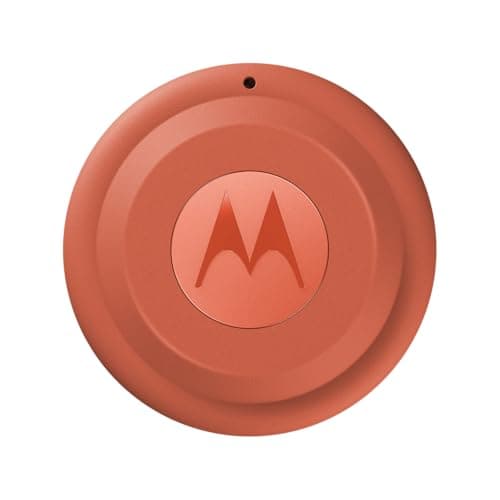
| 03 | Motorola Moto Tag 2Built for Google's network first rather than ported to it, with UWB on supported phones and a replaceable coin cell. No fee. | Find Hub with UWB | No monthly fee $0 + batteries | $37.99·Amazon |
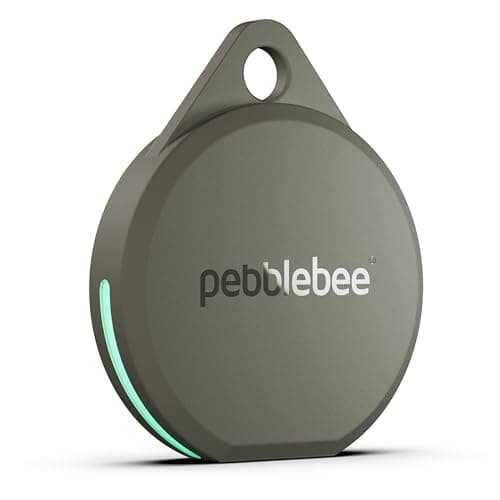
| 04 | Pebblebee Clip 5130 dB stated siren and 12 months per USB-C charge. In a baggage hall or a hotel luggage store, loudness beats a map pin. | Loudest, for a bag in a pile | No monthly fee $0 | $27.99·Amazon |
| 05 | Tile ProThe only mainstream tag that behaves identically on iPhone and Android from one app and account, which is right for a family traveling with both. | A mixed-platform household | Optional plan $0, or from $9.99/mo | $34.20·Amazon |
#ad · Live prices from Amazon's product API, as of October 8, 2026. Where we have no verified live price we show none — a gap beats a number that has rotted. Plan figures are the brands' own published rates, cited in Sources below.
In detail
The picks, in full
Top pickNo monthly fee#01 · Chipolo
Chipolo LOOP
Best overall for any Android
Find Hub support on any Android phone, a stated 125 dB alarm, a built-in loop and no subscription. The default Android luggage tag.
The subscription reality
No subscription, now or later. The purchase price is the whole cost of ownership.
- Over three years:
- $0
Specs, as published by Chipolo
- ·Rechargeable over USB-C; Chipolo states about a year per charge
- ·IP67, up to 30 minutes in 1 m of water
- ·About 125 dB stated alarm
- ·Up to 120 m (400 ft) stated Bluetooth range
Good
- +Works with Apple Find My or Google Find Hub, so it is the one tag you can buy without knowing which phone you will own next
- +No subscription at all, and Chipolo's own app features are free
- +Loud — 125 dB stated is well above an AirTag
- +Built-in loop, so it goes straight on a keyring
Not so good
- −You pick one network at setup; switching later means a reset
- −Rechargeable means a dead tag is a tag you have to find a cable for, not swap a coin cell into
- −USB-C cable is not in the box
Skip it if
you would rather drop in a fresh coin cell than remember to charge a keyring once a year.
No monthly fee#02 · Samsung
Samsung Galaxy SmartTag2
Galaxy phones, longest battery
500 stated days per coin cell, UWB precision on Galaxy hardware, and a keyring hole. Needs a Galaxy device — a Pixel will not pair it.
The subscription reality
No subscription. The only recurring cost is a CR2032 roughly once a year, which is pennies.
- Over three years:
- about $3 in coin cells
Specs, as published by Samsung
- ·Replaceable CR2032; Samsung states up to 500 days
- ·IP67 (1 m freshwater up to 30 minutes)
- ·Bluetooth LE 5.3, up to 120 m stated range, plus UWB
- ·28.8 x 52.44 x 8.0 mm, 13.75 g
Good
- +500 days of stated battery life is the longest claim of any mainstream tag
- +No subscription, and SmartThings Find is free
- +UWB gives Samsung phones the same walk-to-it precision iPhones get with AirTag
- +Has a built-in hole, so no holder needed
Not so good
- −Galaxy devices only — Samsung requires a Galaxy phone or tablet on Android 9 or newer
- −SmartThings Find is a smaller network than Apple's Find My
- −Physically the largest of the mainstream tags
Skip it if
your phone is not a Galaxy. A Pixel or a OnePlus will not set this up, whatever the box implies about Android.
No monthly fee#03 · Motorola
Motorola Moto Tag 2
Find Hub with UWB
Built for Google's network first rather than ported to it, with UWB on supported phones and a replaceable coin cell. No fee.
The subscription reality
No subscription. The only recurring cost is a CR2032 roughly once a year, which is pennies.
- Over three years:
- about $3 in coin cells
Specs, as published by Motorola
- ·Works with Google Find Hub and Apple Find My
- ·Replaceable coin cell
- ·UWB for close-range finding on supported phones
Good
- +One of the few tags built for Google Find Hub first rather than as an afterthought
- +No subscription
- +Replaceable battery
Not so good
- −Find Hub's network is younger and thinner than Apple's
- −UWB only helps on phones that have it
- −Less widely stocked than Tile or Chipolo
Skip it if
most of the places you lose things are quiet — a thinner crowd network is the real limit on any Android tag.
No monthly fee#04 · Pebblebee
Pebblebee Clip 5
Loudest, for a bag in a pile
130 dB stated siren and 12 months per USB-C charge. In a baggage hall or a hotel luggage store, loudness beats a map pin.
The subscription reality
No subscription, now or later. The purchase price is the whole cost of ownership.
- Over three years:
- $0
Specs, as published by Pebblebee
- ·Rechargeable over USB-C; Pebblebee states up to 12 months per charge
- ·130 dB stated siren
- ·IP66 water resistance
- ·Works with Apple Find My or Google Find Hub
Good
- +130 dB stated siren is the loudest claim of any mainstream tag — it is the one you can hear through a sofa
- +No subscription
- +Dual-network, and Pebblebee states it has no access to your location data
- +12 months per charge is a real year, not a marketing year
Not so good
- −IP66 rather than IP67, so it is rain-rated rather than dunk-rated
- −Charge cable not included
- −One network per tag, chosen at setup
Skip it if
the tag will live somewhere that gets properly submerged — a dog's water bowl, a kayak — where IP67 is the floor.
Optional plan#05 · Life360
Tile Pro
A mixed-platform household
The only mainstream tag that behaves identically on iPhone and Android from one app and account, which is right for a family traveling with both.
The subscription reality
Finding works on the free tier. Life360's paid memberships add location history, smart alerts and item reimbursement — they are optional, but they are how the brand now makes money from you.
- Published monthly:
- $9.99 (Silver), $16.99 (Gold), $24.99 (Platinum)
- Over three years:
- $0, or from $359.64 on the cheapest paid tier
Specs, as published by Life360
- ·Replaceable CR2477 coin cell
- ·Tile's longest stated Bluetooth range of the range
- ·Works on iPhone and Android from the same app
- ·Tile's loudest ring
Good
- +The one mainstream tag that works properly on both iPhone and Android with one app
- +Replaceable battery, unlike the sealed Tiles of a few years ago
- +Basic finding does not require a paid plan
Not so good
- −Tile's crowd network is far thinner than Apple's, which matters most when the item is far away
- −The useful extras — Smart Alerts, 30-day history, item reimbursement — are behind a Life360 membership
- −CR2477 is a less common battery than CR2032
Skip it if
everyone in your household has an iPhone. You would be paying for cross-platform support you will never use, on a smaller network.
Placement, which matters more than the brand
Hide it inside the case rather than clipping it to a handle. A visible tag on a checked bag is one a dishonest handler can remove in seconds, and a fabric suitcase does not block Bluetooth meaningfully.
Good spots: the laptop sleeve, under the fabric base panel, inside the lining through a small unpicked seam, or taped flat into a corner. Avoid rigid cases' deepest recesses — a hard-shell ski tube or golf travel case attenuates more than fabric, so an external pocket is better there.
The battery decision for travel
For luggage specifically, replaceable coin cells have the edge, and the reason is travel-shaped: a rechargeable tag that goes flat does so somewhere inconvenient, and finding a USB-C cable in a hotel at 6am to charge a luggage tag is a particular kind of annoying.
A coin cell you can replace with a battery from any airport shop is more robust. Samsung states up to 500 days for the SmartTag2 and Apple states more than a year for an AirTag; a rechargeable Chipolo states about a year and Pebblebee states up to 12 months, which are fine figures but with a different failure mode.
Either way, change or charge it at the start of a trip rather than mid-way. A tag you fitted and forgot for two years is a tag that is flat.
Android's unwanted-tracker alerts, and travel
Android has a built-in scan for trackers that are not yours, under Settings, Safety & emergency, Unknown tracker alerts. It covers Find Hub tags and Apple AirTags, and includes a manual “Scan now” that takes about ten seconds and works on Android 11 and later without Location Services enabled.
Two reasons this matters to travelers. First, it is genuinely useful: a quick scan after a hotel stay or a car rental takes seconds. Second, it works the other way too — your own tag in a shared bag may alert a traveling companion, which is the system working rather than a fault.
What about cellular for luggage?
We would not. The appeal of cellular is coverage where there are no phones, and luggage does not go to places with no phones. A $25 Find Hub tag reports from inside a baggage hall more reliably than a cellular tracker would and costs nothing per year to keep doing it.
The only genuine exception is freight or shipping you need to follow continuously across long distances, which is a logistics product rather than a luggage one.
How we picked
We did not lab-test these trackers
Everyone in this category claims to have tested twenty devices. We have not tested any of them, and we say so on every page. What we did instead: read each manufacturer's published specifications and cite them with the date, find the actual subscription price and cite that too, and work out what thirty-six months of ownership costs at those published figures. Device prices come live from Amazon's API and expire after 48 hours rather than going stale. Where a figure could not be sourced to the manufacturer, the page says the spec is unconfirmed rather than borrowing it from a competitor's review. The full method is on the methodology page.
Working out what a tracker really costs? See the three-year cost of every tracker, compared.
Read next
Related
The table behind every recommendation on this site: device, plan, and what thirty-six months actually comes to.
The full roundup across both platforms, with the FAA rules.
The broader Android picture beyond luggage.
How the two networks actually differ.
FAA battery rules, which apply whatever platform you are on.
Four questions that eliminate most of the market before you look at a single specification.