For years the honest answer to “what is the best tracker for Android” was “none of them, really”. Google had no crowd network, Tile's own network was thin, and AirTag — the one with a genuinely enormous network — did not work on Android at all. That has changed, and the Android tag market is now genuinely good.
All five picks here cost nothing to run. Bluetooth tags have no SIM and no data, so Google and Samsung carry the network traffic for free. Nobody in this category should be selling an Android item tracker with a monthly fee.
The one trap, stated clearly
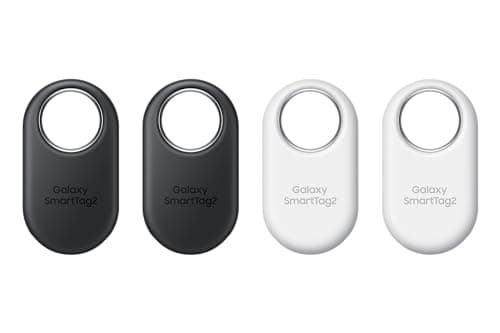
Samsung's SmartTag2 needs a Galaxy phone, not just an Android phone. Samsung states the requirement as Galaxy smartphones or tablets on Android 9 or later. A Pixel, a OnePlus, a Motorola or a Nothing phone will not set one up, however much the packaging implies Android compatibility. This catches people out constantly and it is the single most useful thing to know before you buy in this category.
If you carry a Galaxy, the SmartTag2 is excellent and its 500 stated days of battery is the longest claim in the business. If you carry any other Android, you want a Find Hub tag — Chipolo, Pebblebee, or Motorola's Moto Tag.
Find Hub versus SmartThings Find versus Tile
Google's Find Hub is the general Android network and the one open to third parties. It is younger than Apple's Find My and smaller, but it is built from Android phones generally rather than one manufacturer's, which makes it the largest network available to a non-Samsung Android user by a wide margin.
Samsung's SmartThings Find only includes Galaxy devices. That is a smaller pool than Find Hub but still a very large one, and on a Galaxy you also get UWB precision that Find Hub tags generally do not match.
Tile runs its own network made of other Tile users, which is the smallest of the three. Its compensating advantage is real though, and it is the reason Tile Pro is on this page: it works identically on iPhone and Android from one app, which is exactly right for a household running both.
The short answer
Quick picks
Ranked by what each one costs to own for three years, not by sticker price. The plan column is the one most comparisons leave out.
| # | Product | Best for | Plan / 3 yr | Price |
|---|
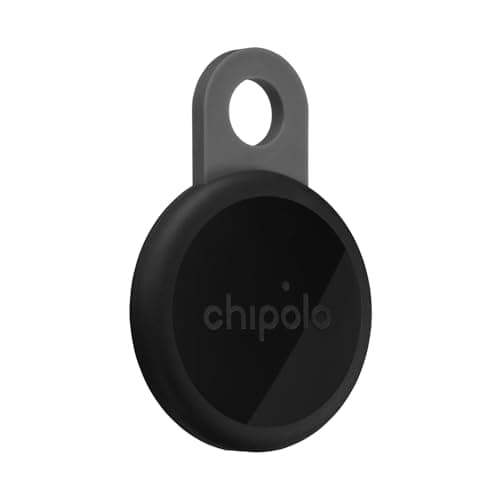
| 01 | Chipolo LOOPThe best no-fee tag for Android generally: Find Hub support, a loud 125 dB stated alarm, a keyring loop, and it will still work if you switch to an iPhone. | Any Android phone | No monthly fee $0 | $33.15·Amazon |
| 02 | Samsung Galaxy SmartTag2The longest stated battery life of any tag at 500 days, with UWB precision on Galaxy hardware. Needs a Galaxy device — a Pixel will not set it up. | Galaxy phones specifically | No monthly fee $0 + batteries | $52.78·Amazon |
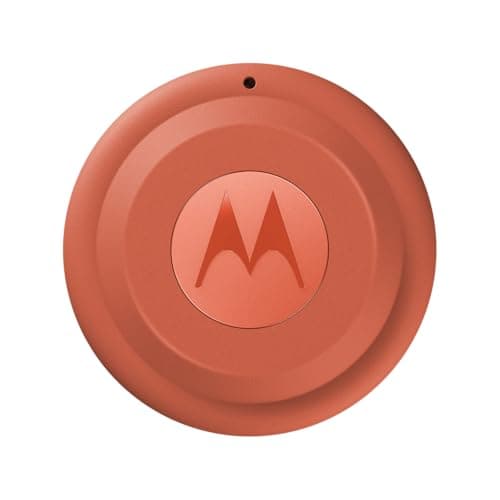
| 03 | Motorola Moto Tag 2Built for Google's network first rather than ported to it, with UWB on supported phones and a replaceable coin cell. No subscription. | Find Hub with UWB | No monthly fee $0 + batteries | $37.99·Amazon |
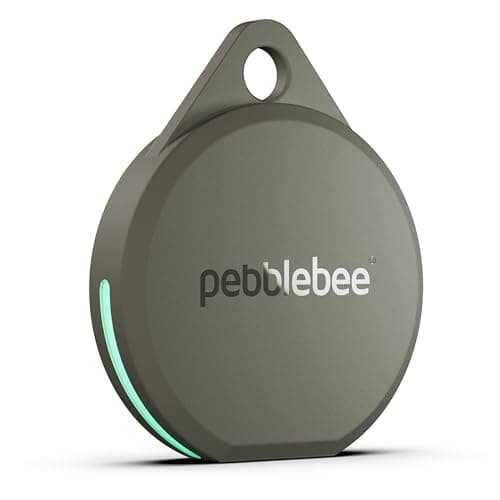
| 04 | Pebblebee Clip 5130 dB stated siren and 12 months per USB-C charge, on Find Hub or Find My. The one that actually finds things inside a house. | Loudest Android tag | No monthly fee $0 | $27.99·Amazon |
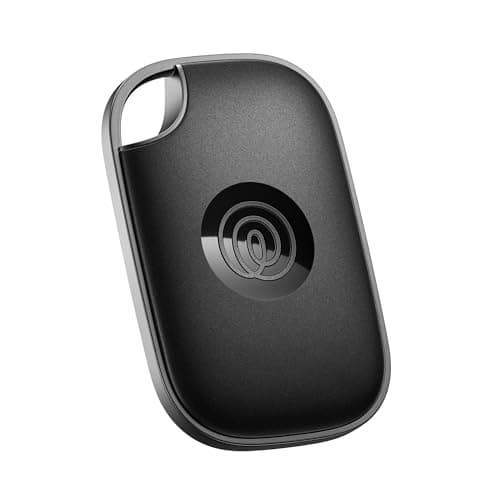
| 05 | Tile ProThe only mainstream tag that genuinely behaves the same on both platforms from one app. Finding is free; the advertised extras need a Life360 membership. | A mixed iPhone and Android household | Optional plan $0, or from $9.99/mo | $34.20·Amazon |
#ad · Live prices from Amazon's product API, as of October 8, 2026. Where we have no verified live price we show none — a gap beats a number that has rotted. Plan figures are the brands' own published rates, cited in Sources below.
In detail
The picks, in full
Top pickNo monthly fee#01 · Chipolo
Chipolo LOOP
Any Android phone
The best no-fee tag for Android generally: Find Hub support, a loud 125 dB stated alarm, a keyring loop, and it will still work if you switch to an iPhone.
The subscription reality
No subscription, now or later. The purchase price is the whole cost of ownership.
- Over three years:
- $0
Specs, as published by Chipolo
- ·Rechargeable over USB-C; Chipolo states about a year per charge
- ·IP67, up to 30 minutes in 1 m of water
- ·About 125 dB stated alarm
- ·Up to 120 m (400 ft) stated Bluetooth range
Good
- +Works with Apple Find My or Google Find Hub, so it is the one tag you can buy without knowing which phone you will own next
- +No subscription at all, and Chipolo's own app features are free
- +Loud — 125 dB stated is well above an AirTag
- +Built-in loop, so it goes straight on a keyring
Not so good
- −You pick one network at setup; switching later means a reset
- −Rechargeable means a dead tag is a tag you have to find a cable for, not swap a coin cell into
- −USB-C cable is not in the box
Skip it if
you would rather drop in a fresh coin cell than remember to charge a keyring once a year.
No monthly fee#02 · Samsung
Samsung Galaxy SmartTag2
Galaxy phones specifically
The longest stated battery life of any tag at 500 days, with UWB precision on Galaxy hardware. Needs a Galaxy device — a Pixel will not set it up.
The subscription reality
No subscription. The only recurring cost is a CR2032 roughly once a year, which is pennies.
- Over three years:
- about $3 in coin cells
Specs, as published by Samsung
- ·Replaceable CR2032; Samsung states up to 500 days
- ·IP67 (1 m freshwater up to 30 minutes)
- ·Bluetooth LE 5.3, up to 120 m stated range, plus UWB
- ·28.8 x 52.44 x 8.0 mm, 13.75 g
Good
- +500 days of stated battery life is the longest claim of any mainstream tag
- +No subscription, and SmartThings Find is free
- +UWB gives Samsung phones the same walk-to-it precision iPhones get with AirTag
- +Has a built-in hole, so no holder needed
Not so good
- −Galaxy devices only — Samsung requires a Galaxy phone or tablet on Android 9 or newer
- −SmartThings Find is a smaller network than Apple's Find My
- −Physically the largest of the mainstream tags
Skip it if
your phone is not a Galaxy. A Pixel or a OnePlus will not set this up, whatever the box implies about Android.
No monthly fee#03 · Motorola
Motorola Moto Tag 2
Find Hub with UWB
Built for Google's network first rather than ported to it, with UWB on supported phones and a replaceable coin cell. No subscription.
The subscription reality
No subscription. The only recurring cost is a CR2032 roughly once a year, which is pennies.
- Over three years:
- about $3 in coin cells
Specs, as published by Motorola
- ·Works with Google Find Hub and Apple Find My
- ·Replaceable coin cell
- ·UWB for close-range finding on supported phones
Good
- +One of the few tags built for Google Find Hub first rather than as an afterthought
- +No subscription
- +Replaceable battery
Not so good
- −Find Hub's network is younger and thinner than Apple's
- −UWB only helps on phones that have it
- −Less widely stocked than Tile or Chipolo
Skip it if
most of the places you lose things are quiet — a thinner crowd network is the real limit on any Android tag.
No monthly fee#04 · Pebblebee
Pebblebee Clip 5
Loudest Android tag
130 dB stated siren and 12 months per USB-C charge, on Find Hub or Find My. The one that actually finds things inside a house.
The subscription reality
No subscription, now or later. The purchase price is the whole cost of ownership.
- Over three years:
- $0
Specs, as published by Pebblebee
- ·Rechargeable over USB-C; Pebblebee states up to 12 months per charge
- ·130 dB stated siren
- ·IP66 water resistance
- ·Works with Apple Find My or Google Find Hub
Good
- +130 dB stated siren is the loudest claim of any mainstream tag — it is the one you can hear through a sofa
- +No subscription
- +Dual-network, and Pebblebee states it has no access to your location data
- +12 months per charge is a real year, not a marketing year
Not so good
- −IP66 rather than IP67, so it is rain-rated rather than dunk-rated
- −Charge cable not included
- −One network per tag, chosen at setup
Skip it if
the tag will live somewhere that gets properly submerged — a dog's water bowl, a kayak — where IP67 is the floor.
Optional plan#05 · Life360
Tile Pro
A mixed iPhone and Android household
The only mainstream tag that genuinely behaves the same on both platforms from one app. Finding is free; the advertised extras need a Life360 membership.
The subscription reality
Finding works on the free tier. Life360's paid memberships add location history, smart alerts and item reimbursement — they are optional, but they are how the brand now makes money from you.
- Published monthly:
- $9.99 (Silver), $16.99 (Gold), $24.99 (Platinum)
- Over three years:
- $0, or from $359.64 on the cheapest paid tier
Specs, as published by Life360
- ·Replaceable CR2477 coin cell
- ·Tile's longest stated Bluetooth range of the range
- ·Works on iPhone and Android from the same app
- ·Tile's loudest ring
Good
- +The one mainstream tag that works properly on both iPhone and Android with one app
- +Replaceable battery, unlike the sealed Tiles of a few years ago
- +Basic finding does not require a paid plan
Not so good
- −Tile's crowd network is far thinner than Apple's, which matters most when the item is far away
- −The useful extras — Smart Alerts, 30-day history, item reimbursement — are behind a Life360 membership
- −CR2477 is a less common battery than CR2032
Skip it if
everyone in your household has an iPhone. You would be paying for cross-platform support you will never use, on a smaller network.
Pick by phone, then by alarm
The decision tree here is genuinely two steps long.
Step one: which network can your phone use?
Galaxy phone: SmartTag2 or a Find Hub tag, your choice — you can use both. Any other Android: Find Hub only, so Chipolo, Pebblebee or Moto Tag. Mixed household where one tag must serve an iPhone user and an Android user: Tile Pro.
Step two: how loud, and coin cell or rechargeable?
If most of your losses happen inside your home, buy the loudest thing on the list — Pebblebee states 130 dB and you can hear it through furniture. If most of your losses happen out in the world, loudness is irrelevant and network size is everything.
On batteries: a replaceable CR2032 means a dead tag is revived in two minutes anywhere in the world. A rechargeable tag means remembering a USB-C cable once a year. Samsung states up to 500 days for the SmartTag2's coin cell; Chipolo states about a year per charge and Pebblebee states up to 12 months. Both approaches are fine; pick the failure mode you would rather have.
What about Android and AirTags?
You cannot use one. An Android phone can detect a nearby AirTag and read its lost-mode contact details over NFC, but that is the anti-stalking mechanism rather than a feature — it exists so a stranger's tag cannot follow you silently. There is no Android app for setting up or using an AirTag, and Apple has given no indication there will be. If you are on Android, buy a Find Hub tag and stop looking at AirTag reviews.
Android's unwanted-tracker protection is good, and worth knowing about
Independent of buying, Android has a built-in scan for trackers that are not yours, under Settings, Safety & emergency, Unknown tracker alerts. It covers Find Hub tags and Apple AirTags, and includes a manual “Scan now” that takes about ten seconds and works on Android 11 and later without Location Services enabled. We walk through it step by step here.
How we picked
We did not lab-test these trackers
Everyone in this category claims to have tested twenty devices. We have not tested any of them, and we say so on every page. What we did instead: read each manufacturer's published specifications and cite them with the date, find the actual subscription price and cite that too, and work out what thirty-six months of ownership costs at those published figures. Device prices come live from Amazon's API and expire after 48 hours rather than going stale. Where a figure could not be sourced to the manufacturer, the page says the spec is unconfirmed rather than borrowing it from a competitor's review. The full method is on the methodology page.
Working out what a tracker really costs? See the three-year cost of every tracker, compared.
Read next
Related
The table behind every recommendation on this site: device, plan, and what thirty-six months actually comes to.
The same question approached from the other direction, for people switching platforms.
The everyday-carry version, with wallet and key specifics.
How the two networks differ in size, coverage and privacy model.
Network size against cross-platform support, and the Life360 membership that now sits behind Tile's best features.
Four questions that eliminate most of the market before you look at a single specification.