When you buy a Bluetooth tag you are mostly buying a network, because the tag itself has no idea where it is. So this comparison matters more than any individual product comparison on the site.
Size — Find My, by a wide margin
Apple's Find My network is assembled from essentially every iPhone in existence. Google Find Hub is built from Android devices and is younger and smaller.
In a city both are dense enough that the difference rarely shows. In a thin crowd — a quiet suburb, a rural road, a small town at night — the larger network is the one that reports, and that is where the gap becomes real.
Device support — a genuine asymmetry
Find My needs an iPhone to set up and use a tag. There is no Android app. An Android phone can read a found tag over NFC, but that is the anti-stalking mechanism rather than a feature.
Find Hub works on Android broadly, not just one manufacturer's phones — which is the key difference from Samsung's SmartThings Find, where SmartTag2 requires a Galaxy device specifically.
Third-party tags — both are open, Find Hub more so
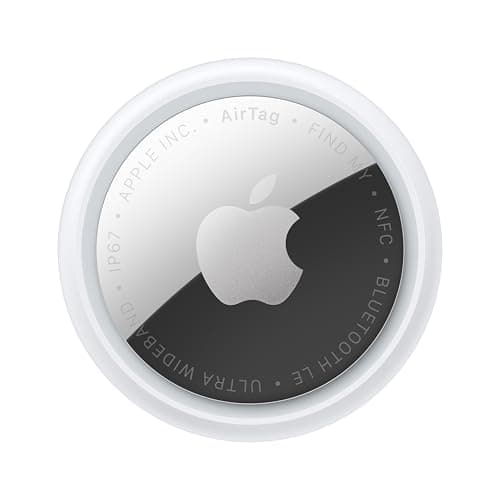
Apple opened Find My to third parties and there are many Find My tags, though only Apple's own AirTag gets Ultra Wideband Precision Finding.
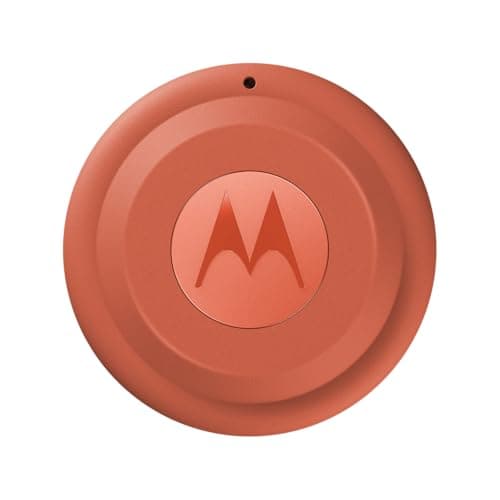
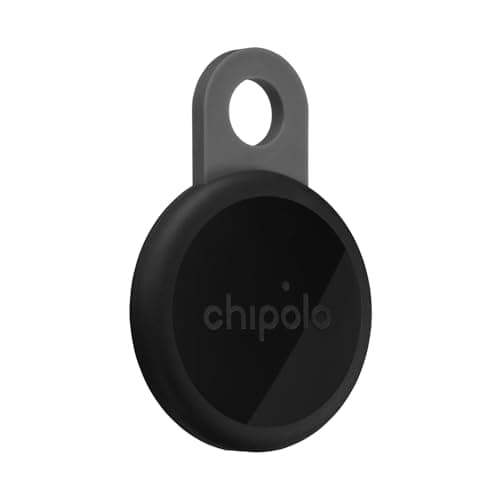
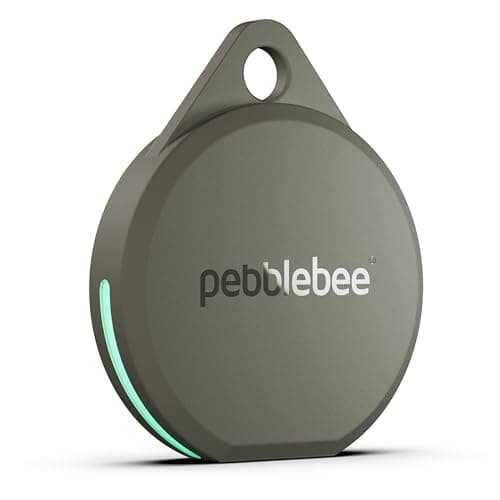
Google opened Find Hub too, and in practice it has become the home of the dual-network tags — Chipolo, Pebblebee and Motorola all make Find Hub devices. Google's own documentation names Chipolo, Motorola's moto tag and Pebblebee products among the supported trackers.
Precision finding
Apple's Precision Finding on the AirTag is the strongest implementation and is first-party only. Find Hub tags with UWB exist — the Moto Tag among them — and give close-range precision on supported phones, but the experience is less uniform across devices.
Privacy model
Both are built on the same principle: the relaying phone learns nothing, and the report is encrypted so the platform cannot read arbitrary tag locations. Apple describes the Find My process as anonymous and encrypted, and efficient enough that the relaying phone's owner need not worry about battery or data usage.
Worth noting on the tag-maker side: Pebblebee states that when its products are used with Apple Find My or Google Find Hub, Pebblebee itself has no access to your location or tracking data. That is the right architecture — the tag maker should be out of the loop entirely.
Unwanted-tracker protection — Android has the better tool
Both platforms now detect trackers that are not yours moving with you, and both cover the other platform's tags.
Apple's requirements are specific: iOS 17.5 or later, Location Services with Significant Locations on, Bluetooth on, Tracking Notifications enabled, Airplane Mode off. Tapping the alert lets you play a sound, use Precision Finding on a UWB iPhone and get instructions to disable the device.
Android's version lives under Settings, Safety & emergency, Unknown tracker alerts, and includes something Apple does not offer: a manual “Scan now” that takes about ten seconds, covers Find Hub tags and Apple AirTags, and works on Android 11 and later without Location Services enabled. Being able to sweep a hire car on demand is a better experience than waiting for a passive alert. Both procedures, step by step.
Which network you should use
You mostly do not choose. Your phone chooses: iPhone means Find My, Android means Find Hub, and a Galaxy additionally gives you SmartThings Find.
Where there is a genuine choice is a dual-network tag, which asks you to pick one at setup. The answer there is simple: pick the network your phone belongs to. On iPhone that is Find My, which is also the larger network, so there is no trade-off to think about.
The strategic point: dual-network tags are a hedge
This is the thing worth taking away. If you buy four AirTags and move to Android in two years, you own four pieces of plastic. If you buy four Chipolos or Pebblebees, you reset them and re-pair to Find Hub.
Given how little the dual-network tags give up — Precision Finding, essentially, and they are louder in compensation — that hedge is worth having unless you are certain about your platform.
A mixed household: the awkward case
One iPhone, one Android, one set of car keys that both people use. Neither network solves this, because a dual-network tag picks one network rather than serving both.
The options, honestly: Tile, which works identically on both from one account at the cost of the smallest network; or two tags on the same keyring, one per network, which is inelegant and works perfectly. We would do the second.
Which network is better at what
Find My is better for: thin crowds, rural areas, international travel, and close-range precision via the AirTag.
Find Hub is better for: working on any Android rather than one manufacturer's phones, the third-party tag ecosystem, and the manual unwanted-tracker scan.
Both are equally good at: airports, cities, and anywhere with people. Which is where most things get lost.