Yes. An AirTag works in every country, there is no roaming charge, and there is nothing to configure before you fly — because it has no SIM and no cellular connection of its own. What changes when you travel is not the tag but the crowd: an AirTag is only as useful as the number of iPhones near it, so it is near-live in Tokyo, London or New York and much quieter in a rural area anywhere.
Why there is no roaming to worry about
An AirTag never connects to a carrier. It broadcasts an encrypted identifier over Bluetooth, and any passing Apple device reports where it heard it over that device's own internet connection. The stranger's phone pays for the data, in the sense that it is a few bytes on a connection they already have.
So there is no SIM, no plan, no roaming bundle and no country-specific setup. The same tag that worked at home works on landing, with no action from you. This is a genuine advantage over every cellular tracker, where international use means either a roaming plan or a device that simply stops reporting at the border.
What actually changes abroad
iPhone density. This is the whole story. In countries and cities where iPhones are common, a tagged bag reports constantly. Where Android dominates the market, the same tag reports less often — not never, because travelers and businesses carry iPhones too, but noticeably less. If you are traveling with Android users or heading somewhere Android-dominant, a dual-network tag set up on Google Find Hub is the better choice.
Airports help you. Airports are among the most iPhone-dense places on earth, which is why luggage tracking is the single best use for a tag abroad. A bag that did not make the connection usually says so from the terminal it is sitting in.
One exception worth knowing. Apple's services are not uniformly available in every market, and mainland China is the case travelers ask about most. Find My item tracking there has been subject to local restrictions that have changed over time, so if that is your destination, check the current position before relying on a tag rather than assuming it behaves as it does at home.
The rules that do apply when you fly
The tag itself is not the regulated part — the lithium cell inside it is, and a CR2032 is far below any threshold that matters. The FAA's PackSafe guidance puts the limit for lithium metal batteries at 2 grams of lithium content, and requires spare batteries to travel in carry-on rather than checked baggage. A coin cell installed in a device in a checked bag is fine; a loose handful of spares in the hold is the thing to avoid.
The checked-baggage question in full covers the airline-by-airline history, which has settled considerably since the airlines that briefly objected changed their position.
The short answer
Quick picks
Ranked by what each one costs to own for three years, not by sticker price. The plan column is the one most comparisons leave out.
| # | Product | Best for | Plan / 3 yr | Price |
|---|
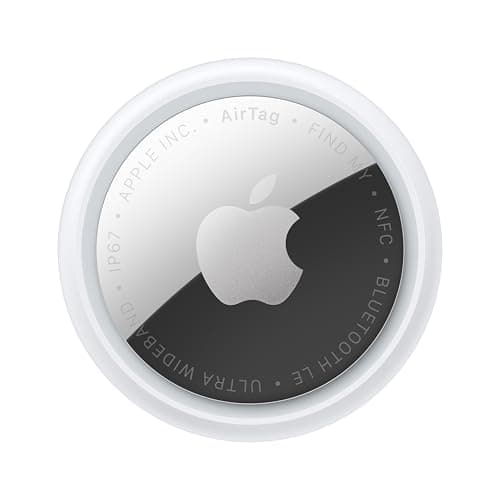
| 01 | Apple AirTag (2nd generation)No SIM, no roaming, no fee anywhere in the world. Its usefulness abroad is set by how many iPhones are nearby, not by which country you are in. | Any trip in a phone-dense country | No monthly fee $0 + batteries | $24.00·Amazon |
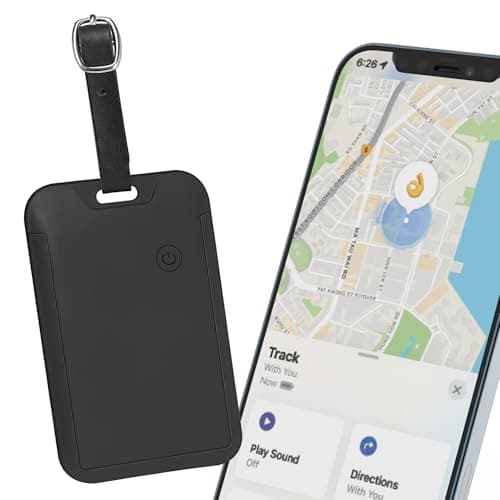
| 02 | Hidden luggage tracker for Find MyShaped to disappear inside a suitcase rather than hang off the handle, which is the point in a checked bag. Find My only, and no subscription. | Hiding a tag in the lining | No monthly fee $0 + batteries | $19.99·Amazon |
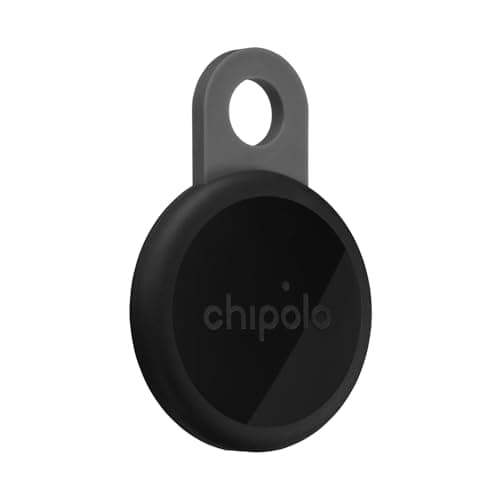
| 03 | Chipolo LOOPSet up on Apple Find My or Google Find Hub, so a mixed group can share tags. No fee on either network, and a loop built in. | Traveling with Android users | No monthly fee $0 | $39.00·Amazon |
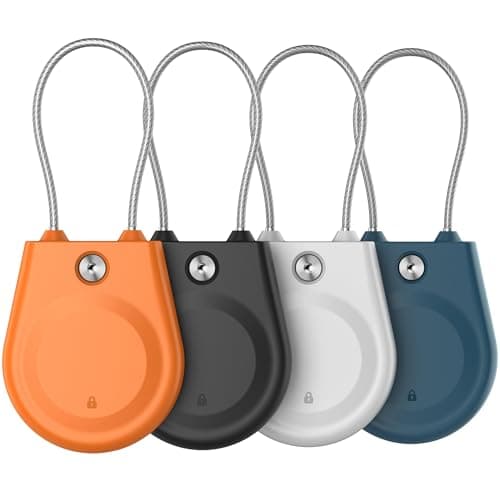
| 04 | AirTag luggage lock caseA locking case with a steel cable loop. Visible, which is the trade — hidden is usually better in a checked bag, but this one will not fall off. | A tag that cannot be unclipped | No monthly fee $0 | $11.79·Amazon |
#ad · Live prices from Amazon's product API, as of October 11, 2026. Where we have no verified live price we show none — a gap beats a number that has rotted. Plan figures are the brands' own published rates, cited in Sources below.
In detail
The picks, in full
Top pickNo monthly fee#01 · Apple
Apple AirTag (2nd generation)
Any trip in a phone-dense country
No SIM, no roaming, no fee anywhere in the world. Its usefulness abroad is set by how many iPhones are nearby, not by which country you are in.
The subscription reality
No subscription. The only recurring cost is a CR2032 roughly once a year, which is pennies.
- Over three years:
- about $3 in coin cells
Specs, as published by Apple
- ·User-replaceable CR2032 coin cell; Apple states it runs more than a year
- ·IP67 (1 m for up to 30 minutes, IEC 60529)
- ·Ultra Wideband Precision Finding, 1.5x the range of the first generation
- ·Speaker 50% louder than the first generation
Good
- +No subscription, and Apple has never charged one
- +The Find My network is the largest crowd network in the world, so a lost AirTag in a populated area usually reports within minutes
- +Precision Finding walks you to it by distance and direction, not just a map pin
- +Battery is a coin cell from any supermarket, not a sealed pack
Not so good
- −iPhone only for setup and full use — there is no Android app
- −It has no GPS of its own: it reports when an Apple device walks past it, so it is a finder, not a tracker
- −No keyring hole, so you are buying a holder as well
Skip it if
you are on Android, or you need to watch something move in real time — an AirTag only knows where it was when someone last walked past it.
No monthly fee#02 · Travel Depot
Hidden luggage tracker for Find My
Hiding a tag in the lining
Shaped to disappear inside a suitcase rather than hang off the handle, which is the point in a checked bag. Find My only, and no subscription.
The subscription reality
No subscription. The only recurring cost is a CR2032 roughly once a year, which is pennies.
- Over three years:
- about $3 in coin cells
Specs, as published by Travel Depot
- ·Works with Apple Find My
- ·Designed to hide inside a suitcase lining rather than hang off the handle
- ·Replaceable battery
Good
- +Hidden rather than dangling, which is the point for a checked bag
- +No subscription
- +Cheap enough to put in every bag
Not so good
- −Find My only
- −No UWB
- −Generic brand
Skip it if
you are on Android — use a Chipolo or Moto Tag in Find Hub mode instead.
No monthly fee#03 · Chipolo
Chipolo LOOP
Traveling with Android users
Set up on Apple Find My or Google Find Hub, so a mixed group can share tags. No fee on either network, and a loop built in.
The subscription reality
No subscription, now or later. The purchase price is the whole cost of ownership.
- Over three years:
- $0
Specs, as published by Chipolo
- ·Rechargeable over USB-C; Chipolo states about a year per charge
- ·IP67, up to 30 minutes in 1 m of water
- ·About 125 dB stated alarm
- ·Up to 120 m (400 ft) stated Bluetooth range
Good
- +Works with Apple Find My or Google Find Hub, so it is the one tag you can buy without knowing which phone you will own next
- +No subscription at all, and Chipolo's own app features are free
- +Loud — 125 dB stated is well above an AirTag
- +Built-in loop, so it goes straight on a keyring
Not so good
- −You pick one network at setup; switching later means a reset
- −Rechargeable means a dead tag is a tag you have to find a cable for, not swap a coin cell into
- −USB-C cable is not in the box
Skip it if
you would rather drop in a fresh coin cell than remember to charge a keyring once a year.
No monthly fee#04 · Generic
AirTag luggage lock case
A tag that cannot be unclipped
A locking case with a steel cable loop. Visible, which is the trade — hidden is usually better in a checked bag, but this one will not fall off.
The subscription reality
No subscription, now or later. The purchase price is the whole cost of ownership.
- Over three years:
- $0
Specs, as published by Generic
- ·Locking case so the tag cannot be unclipped
- ·Fits 1st and 2nd generation AirTag
- ·Steel cable loop
Good
- +Cannot be removed by hand
- +Visible deterrent
- +Cheap
Not so good
- −Visible
- −Cable can be cut
- −Bulkier than a hidden holder
Skip it if
you would rather the tag were not found at all — hide it inside the bag instead.
How to get the most out of a tag on a trip
Hide it, do not hang it. A tag on the outside of a handle is a tag somebody can remove. Inside the lining or in a hidden pocket is better, and purpose-shaped holders exist for exactly that.
One per bag, not one per trip. Bags get separated from each other, which is the whole scenario you are insuring against.
Fresh battery before a long trip. A weak cell reduces transmit power before it dies, so the symptom is a tag that reports less often rather than one that goes silent. A new coin cell costs about a dollar.
Enable Lost Mode details. A phone number or email shown to whoever finds it matters much more abroad, where a stranger wanting to return your bag has no other route to you.
Expect the alert. Both iPhone and Android will warn people that an unknown tracker is moving with them, which is a deliberate safety feature. It applies to a tag in a bag that is no longer yours, which is one of several reasons a tag is for your own property only.
When a cellular tracker is the better travel buy
If what you are tracking goes somewhere people do not — freight on a ship, a vehicle crossing a border, equipment going to a remote site — a tag has nothing to work with and a cellular tracker with an international plan is the right purchase. That is a real monthly cost rather than a one-off, and the three-year cost table shows what that looks like against a $24 tag.
Our recommendation
iPhone household, normal international travel: an AirTag in every checked bag, hidden in the lining. Nothing to pay, nothing to configure.
Mixed group, or an Android-dominant destination: a dual-network tag on Find Hub, which has no fee either. The Android luggage options.
A bag where the tag must not come off: a locking case, accepting that it is visible.
How we picked
We did not lab-test these trackers
Everyone in this category claims to have tested twenty devices. We have not tested any of them, and we say so on every page. What we did instead: read each manufacturer's published specifications and cite them with the date, find the actual subscription price and cite that too, and work out what thirty-six months of ownership costs at those published figures. Device prices come live from Amazon's API and expire after 48 hours rather than going stale. Where a figure could not be sourced to the manufacturer, the page says the spec is unconfirmed rather than borrowing it from a competitor's review. The full method is on the methodology page.
Working out what a tracker really costs? See the three-year cost of every tracker, compared.
Read next
Related
The table behind every recommendation on this site: device, plan, and what thirty-six months actually comes to.
The airline and battery rules, with the regulations named.
Where to hide it, and what it does when a bag goes missing.
The dual-network options for a phone that cannot set up an AirTag.
The same tag, in a parcel rather than a suitcase, and why it often goes quiet.
Bluetooth tags, cellular GPS and radio direction-finding are different products, not price tiers.