Skip to content
Tag & Tether

People · Kids & Elderly Trackers

Elderly trackers with no monthly fee

No cellular device for a person is genuinely free. Here is what no-fee actually gets you, and the cheapest route to the thing you probably want.

By Mike M.Last updated

#ad — we earn a commission if you buy through the links on this page, at no cost to you. It never changes what we recommend, and the structural reason it cannot is that we recommend the no-subscription devices, which pay the least. Full disclosure.


The same hard limit applies here as everywhere else on this site, and it is worth stating before the picks: no cellular device is free to run. Live location on a person, anywhere, requires mobile data, which requires a SIM and a carrier payment.

So “no monthly fee elderly tracker” resolves to three honest things, and only one of them is a safety device.

1. A Bluetooth tag, for the things that go missing

This is the genuinely no-fee option, and it solves a real problem that almost nobody frames correctly. For a lot of older adults, the daily difficulty is not a safety emergency — it is keys, a wallet, a handbag, a walking stick, glasses, a TV remote. Every one of those is a tag job, costs nothing to run, and removes a recurring source of distress and phone calls.

A multi-pack of tags across keys, bag and coat is one of the highest-value, lowest-cost interventions in this whole category, and nobody sells it because there is no subscription in it.

What a tag does not do: tell you where the person is, raise an alert, or help in an emergency. It finds objects in places with phones nearby.

2. The phone they already have

Also free, and frequently overlooked. Both major platforms include emergency SOS and location sharing as standard. For an adult who carries a phone and can operate it, turning those on costs nothing and does most of what a dedicated tracker would.

Spend an afternoon setting up emergency contacts, medical ID and location sharing on the phone they already own before buying anything. It is free, it is better than a tracker they will not carry, and it is the step most families skip.

3. A carrier line instead of a tracker subscription

If you need real-time location, fall detection and an SOS button, there is no free route — but there is a cheaper one than a tracker subscription. A cellular smartwatch runs on a wearable line from your own carrier, often addable to a family plan for a few dollars a month. A dedicated tracker buys the same data wholesale and resells it to you with a margin.

Check your carrier's wearable pricing first. For most families it is the cheapest honest answer, and it comes with a device an older adult is far more likely to wear than a pendant.

The short answer

Quick picks

Ranked by what each one costs to own for three years, not by sticker price. The plan column is the one most comparisons leave out.

#ProductBest forPlan / 3 yrPrice
01
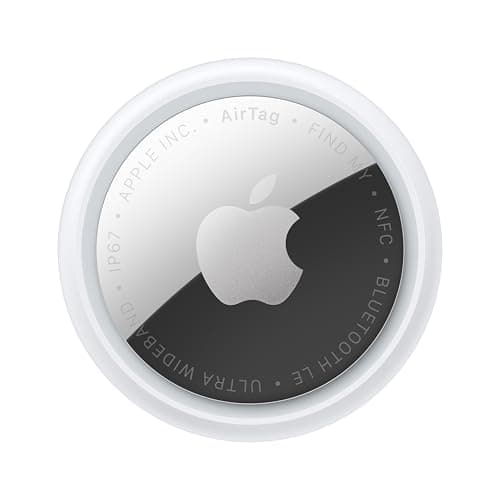
Apple Apple AirTag (2nd generation)
Apple AirTag (2nd generation)

No fee ever. Genuinely excellent for the keys, wallet and bag that go missing daily, which is a real quality-of-life problem rather than a safety one.

Best no-fee: keys, bag, coatNo monthly fee

$0 + batteries

$24.00Amazon
02
Generic Hidden AirTag insole holder
Hidden AirTag insole holder

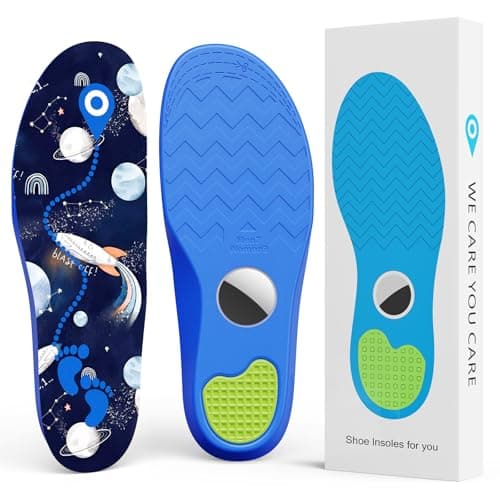
A shoe insole pocket, so the tag goes where the person goes rather than where the bag goes. Still a Bluetooth finder with all the usual limits.

A tag that stays with the personNo monthly fee

$0

$13.59Amazon
03
Apple Apple Watch SE 3 (GPS + Cellular)
Apple Watch SE 3 (GPS + Cellular)

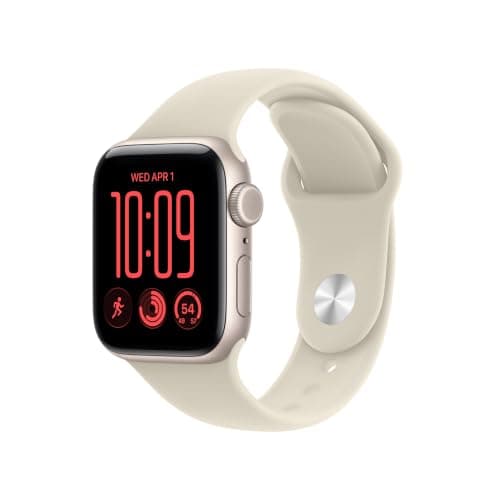
Not no-fee, but the cheapest honest route to fall detection, SOS and live location — a line from your own carrier rather than a tracker company's margin.

Real-time, carrier line not subscriptionPlan required

Carrier line

$249.00Amazon
04
SecuLife SecuLife medical alert pendant
SecuLife medical alert pendant

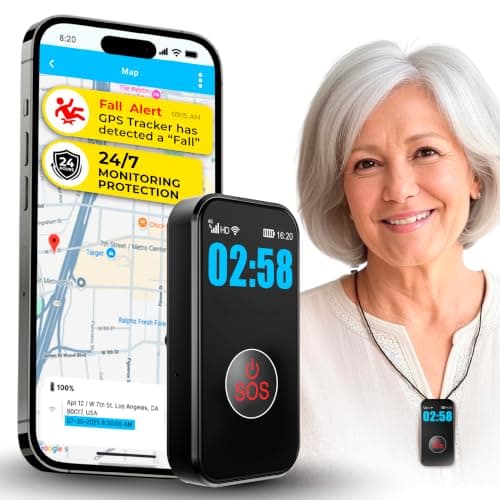
Alerts go to your family list rather than a paid monitoring desk, which removes one subscription from the chain even though the SIM still needs a plan.

No monitoring subscriptionPlan required

Plan required

$89.00Amazon

#ad · Live prices from Amazon's product API, as of October 8, 2026. Where we have no verified live price we show none — a gap beats a number that has rotted. Plan figures are the brands' own published rates, cited in Sources below.

In detail

The picks, in full

Apple Apple AirTag (2nd generation)
$24.00View on Amazon

$29.0017% off

Price as of October 8, 2026. Prices move — Amazon's at checkout is the one that counts.

#ad · we may earn a commission from this link to Apple AirTag (2nd generation)

Top pickNo monthly fee#01 · Apple

Apple AirTag (2nd generation)

Best no-fee: keys, bag, coat

No fee ever. Genuinely excellent for the keys, wallet and bag that go missing daily, which is a real quality-of-life problem rather than a safety one.

The subscription reality

No subscription. The only recurring cost is a CR2032 roughly once a year, which is pennies.

Over three years:
about $3 in coin cells

Specs, as published by Apple

  • User-replaceable CR2032 coin cell; Apple states it runs more than a year
  • IP67 (1 m for up to 30 minutes, IEC 60529)
  • Ultra Wideband Precision Finding, 1.5x the range of the first generation
  • Speaker 50% louder than the first generation

Good

  • No subscription, and Apple has never charged one
  • The Find My network is the largest crowd network in the world, so a lost AirTag in a populated area usually reports within minutes
  • Precision Finding walks you to it by distance and direction, not just a map pin
  • Battery is a coin cell from any supermarket, not a sealed pack

Not so good

  • iPhone only for setup and full use — there is no Android app
  • It has no GPS of its own: it reports when an Apple device walks past it, so it is a finder, not a tracker
  • No keyring hole, so you are buying a holder as well

Skip it if

you are on Android, or you need to watch something move in real time — an AirTag only knows where it was when someone last walked past it.

Generic Hidden AirTag insole holder
$13.59View on Amazon

$15.9915% off

Price as of October 8, 2026. Prices move — Amazon's at checkout is the one that counts.

#ad · we may earn a commission from this link to Hidden AirTag insole holder

No monthly fee#02 · Generic

Hidden AirTag insole holder

A tag that stays with the person

A shoe insole pocket, so the tag goes where the person goes rather than where the bag goes. Still a Bluetooth finder with all the usual limits.

The subscription reality

No subscription, now or later. The purchase price is the whole cost of ownership.

Over three years:
$0

Specs, as published by Generic

  • Insole with a concealed tag pocket
  • Trimmable to shoe size
  • Holds one tag

Good

  • A tag in a shoe cannot be left behind the way a pendant can
  • Cheap
  • No fee

Not so good

  • Bluetooth only, so this is a finder and not a live tracker
  • Needs to be moved between the shoes actually being worn
  • Comfort varies

Skip it if

the wearer is at genuine risk of wandering. For that, a cellular device with an SOS button is the right category, not a tag in a shoe.

Apple Apple Watch SE 3 (GPS + Cellular)
$249.00View on Amazon

$299.0017% off

Price as of October 8, 2026. Prices move — Amazon's at checkout is the one that counts.

#ad · we may earn a commission from this link to Apple Watch SE 3 (GPS + Cellular)

Plan required#03 · Apple

Apple Watch SE 3 (GPS + Cellular)

Real-time, carrier line not subscription

Not no-fee, but the cheapest honest route to fall detection, SOS and live location — a line from your own carrier rather than a tracker company's margin.

The subscription reality

The watch needs its own cellular line from your carrier to work away from the phone, which is a monthly cost from the carrier rather than from Apple. Pricing varies by carrier, so we are not printing a figure.

Specs, as published by Apple

  • Full smartwatch with Family Setup, so it works without the child owning an iPhone
  • Location sharing, calls and messages to approved contacts
  • Fall detection and Emergency SOS

Good

  • It is a watch a kid will actually keep on, which no dedicated tracker manages
  • Fall detection and SOS are real safety features, not marketing ones
  • No tracker-company subscription — the cost is a carrier line you may already be able to add cheaply

Not so good

  • Needs a cellular line from your carrier
  • Expensive
  • A child can take a watch off; a tracker sewn into a bag cannot be

Skip it if

the wearer cannot be trusted to keep it on and charged — a dedicated tamper-proof tracker is the right call then.

SecuLife SecuLife medical alert pendant
$89.00View on Amazon

Price as of October 8, 2026. Prices move — Amazon's at checkout is the one that counts.

#ad · we may earn a commission from this link to SecuLife medical alert pendant

Plan required#04 · SecuLife

SecuLife medical alert pendant

No monitoring subscription

Alerts go to your family list rather than a paid monitoring desk, which removes one subscription from the chain even though the SIM still needs a plan.

The subscription reality

A cellular tracker needs a data plan to report its position. This brand does not publish a plan rate we can cite, so treat the device price as a deposit rather than the cost.

Specs, as published by SecuLife

  • Pendant with an SOS button that alerts family directly
  • Cellular, works away from home
  • No monitoring-center contract

Good

  • Alerts go to family, not a paid monitoring center
  • Works outside the house, unlike home-base alarms
  • Light to wear

Not so good

  • Cellular plan required
  • No fall detection
  • Depends on family answering

Skip it if

you need professional 24/7 monitoring — that is a different product with a real contract.

Where to put tags, for an older adult specifically

The high-value targets are different from a younger person's, and worth listing because they are not obvious:

  • Keys — the perennial one. A loud tag matters here, because the keys are usually in the house and the alarm finds them, not the map.
  • Handbag or wallet — a card-format tag sits in a note slot.
  • Walking stick or frame — an adhesive tag, and genuinely useful.
  • Glasses case — a flat card tag, though not the glasses themselves, which nothing fits.
  • TV remote — an adhesive puck. Trivial-sounding, and it prevents a surprising number of distressed phone calls.
  • Coat lining — the one that goes with the person rather than the object.

Loudness is the specification that matters most for this use, because almost all of these items are lost inside the home where a map tells you nothing. Pebblebee states 130 dB and Chipolo states about 125 dB, both well above an AirTag.

Who manages the app matters more than the device

A practical point that determines whether any of this works: decide up front whose phone holds the tags.

If the older adult is comfortable with the app, set it up on their phone and share with you. If they are not, set the tags up on your phone and share with them — that way you can find their keys over the phone, which is usually what actually happens.

Getting this backwards is how a well-intentioned set of tags ends up unused: four tags paired to a phone whose owner cannot open the app.

Batteries, and keeping it maintenance-free

Prefer replaceable coin cells over rechargeable tags for this use. A rechargeable tag needs somebody to remember a cable once a year; a CR2032 can be swapped in two minutes on a visit, and Apple states more than a year per cell while Samsung states up to 500 days.

Put a reminder in your own calendar rather than relying on the low-battery notification reaching the right person. An annual tag-battery round takes ten minutes and keeps the whole arrangement alive.

Where we would spend the money instead of avoiding it

If the genuine concern is a fall, or wandering, we would not chase a no-fee solution. There isn't one, and the cost of getting it wrong is not measured in dollars.

Pay for the carrier line and the watch, or for a purpose-built device with a plan, and use the no-fee tags for the keys-and-wallet problem alongside it. The full roundup covers the paid options.
How we picked

We did not lab-test these trackers

Everyone in this category claims to have tested twenty devices. We have not tested any of them, and we say so on every page. What we did instead: read each manufacturer's published specifications and cite them with the date, find the actual subscription price and cite that too, and work out what thirty-six months of ownership costs at those published figures. Device prices come live from Amazon's API and expire after 48 hours rather than going stale. Where a figure could not be sourced to the manufacturer, the page says the spec is unconfirmed rather than borrowing it from a competitor's review. The full method is on the methodology page.

Working out what a tracker really costs? See the three-year cost of every tracker, compared.

Questions

Frequently asked

Is there a GPS tracker for the elderly with no monthly fee?
Not one that gives live location, because that needs cellular data and somebody has to pay a carrier. What is genuinely free is a Bluetooth tag, which finds keys, a wallet, a bag or a walking stick in places with phones nearby — a real daily problem rather than a safety one. The cheapest route to actual real-time location plus fall detection is a smartwatch on a carrier line, which undercuts tracker subscriptions by cutting out the middleman.
What is the best no-fee tracker for an older adult?
A loud Bluetooth tag, or several. Keys, handbag, walking stick, glasses case, TV remote and coat lining are all tag jobs, and because nearly all of those are lost inside the house, loudness matters far more than the map — Pebblebee states 130 dB and Chipolo about 125 dB, both well above an AirTag. A multi-pack across those items is one of the highest-value, lowest-cost things you can do.
Can I use my parent's existing phone instead of a tracker?
Very often, yes, and it is the step most families skip. Both major platforms include Emergency SOS and location sharing as standard, so for an adult who carries a phone and can operate it, setting up emergency contacts, medical ID and location sharing costs nothing and does most of what a dedicated tracker would — on a device they already carry rather than one more thing to charge.
Whose phone should the tags be set up on?
Decide deliberately, because getting it wrong is how a sensible set of tags ends up unused. If the older adult is comfortable with the app, set them up on their phone and share with you. If they are not, set them up on your phone and share with them — then you can find their keys over the phone, which is what actually tends to happen.
Should I avoid paying for a tracker if I am worried about falls?
No. If the genuine concern is a fall or wandering, there is no free solution and chasing one is the wrong economy — the cost of getting it wrong is not measured in dollars. Pay for a watch on a carrier line, or a purpose-built device with a plan, and use the no-fee tags alongside it for the keys-and-wallet problem.

Read next

Where the figures came from

Sources

Every specification and plan price on this page traces to one of these, read on the date shown. Device prices are live from Amazon and stamped separately.

  1. Apple — AirTag product page (battery, IP67, Precision Finding) — accessed 2026-10-05
  2. Chipolo — LOOP product page (battery, IP67, 125 dB, 120 m) — accessed 2026-10-05
  3. Pebblebee — Clip 5 product page (12 months per charge, IP66, dual network) — accessed 2026-10-05
  4. Samsung — Galaxy SmartTag2 specifications — accessed 2026-10-05
  5. Amazon Product Advertising / Creators API — live prices and product images — accessed 2026-10-05