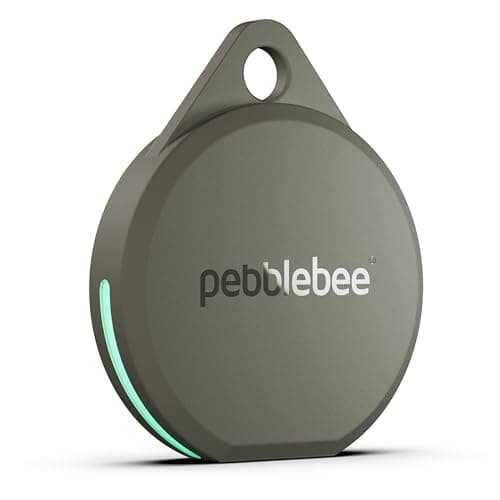
Keys are the purest case in this category and the one where most buying advice is pointed at the wrong specification.
Think about where you actually lose your keys. Down the side of a sofa cushion. In a coat you wore on Tuesday. In a drawer. On a worktop under the post. In the car door pocket. In every single one of those cases, opening the app shows you a map pin on your own house, which you already knew.
The alarm is what finds keys. Loudness, not range, not network size, not battery life. A 130 dB siren is audible through furniture from the next room; a quiet chirp is not.
That reorders the category. Pebblebee states 130 dB for the Clip 5 and Chipolo states about 125 dB for the LOOP, both comfortably louder than an AirTag — so unless you need Apple's Precision Finding specifically, the loud third-party tags are the better key finders.
Where the network still matters
One scenario, and it is worth having covered: keys genuinely left somewhere else. A café, a gym locker room, a friend's kitchen, a taxi. That is when the crowd network earns its place, and it is why we would not recommend a network-less tag for keys even though it is cheaper.
So the honest priority order for keys: loud alarm first, real crowd network second, everything else a distant third.
The keyring hole, which sounds trivial and is not
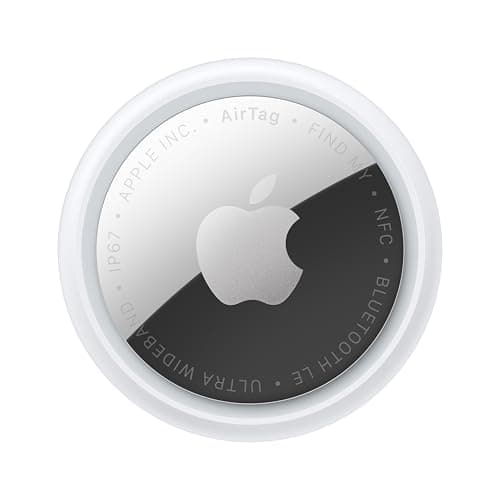
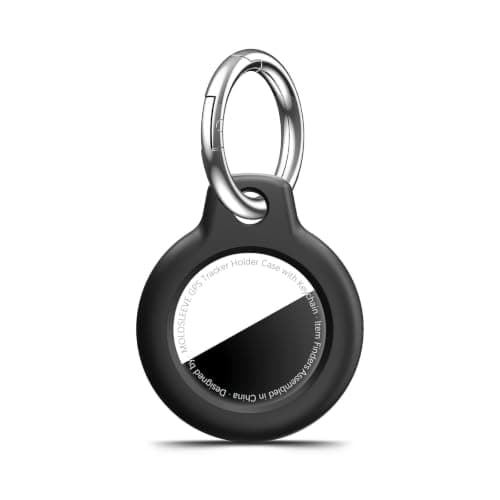
The AirTag has no hole. That means every AirTag on a keyring is an AirTag plus a holder — either Apple's leather loop for most of the price of another AirTag, or a three-dollar plastic shell.
Chipolo's LOOP and Samsung's SmartTag2 both have a hole built in. If you are buying specifically for keys, that is worth a few dollars of consideration, and it is why the LOOP ranks above the AirTag here despite the smaller network.
The short answer
Quick picks
Ranked by what each one costs to own for three years, not by sticker price. The plan column is the one most comparisons leave out.
| # | Product | Best for | Plan / 3 yr | Price |
|---|
| 01 | Pebblebee Clip 5130 dB stated siren, audible through a sofa cushion from the next room, with 12 months per USB-C charge. For keys, loudness is the whole job. | Best overall: loudest alarm | No monthly fee $0 | $27.99·Amazon |
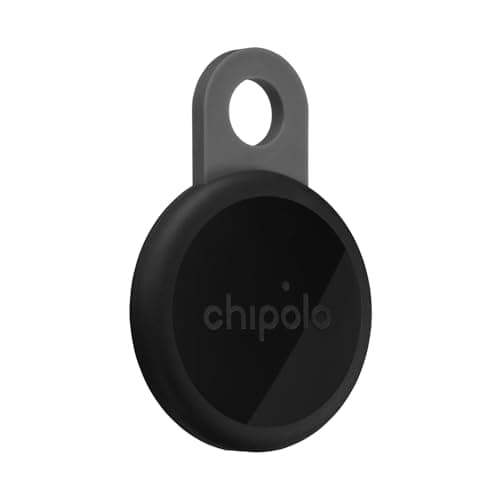
| 02 | Chipolo LOOPA stated 125 dB and an actual keyring loop, so no holder needed. Works on Find My or Find Hub, which no first-party tag does. | Loud, with a loop built in | No monthly fee $0 | $33.15·Amazon |
| 03 | Apple AirTag (2nd generation)Quieter than the above, and the only one that walks you to the keys by direction on an iPhone. Buy a three-dollar shell, because there is no hole. | iPhone, with Precision Finding | No monthly fee $0 + batteries | $24.00·Amazon |
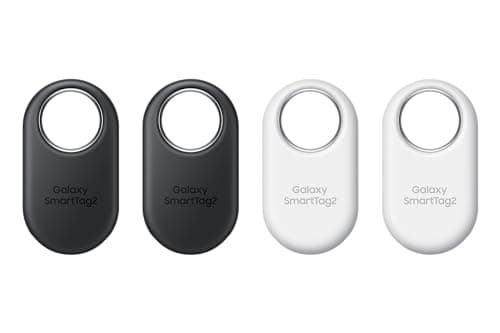
| 04 | Samsung Galaxy SmartTag2500 stated days per cell and a hole for the keyring. On a Galaxy you also get UWB precision, which is the AirTag's advantage without the holder problem. | Galaxy, longest battery, has a hole | No monthly fee $0 + batteries | $52.78·Amazon |
| 05 | | Fixing the AirTag's missing hole | No monthly fee $0 | $4.99·Amazon |
#ad · Live prices from Amazon's product API, as of October 8, 2026. Where we have no verified live price we show none — a gap beats a number that has rotted. Plan figures are the brands' own published rates, cited in Sources below.
In detail
The picks, in full
Top pickNo monthly fee#01 · Pebblebee
Pebblebee Clip 5
Best overall: loudest alarm
130 dB stated siren, audible through a sofa cushion from the next room, with 12 months per USB-C charge. For keys, loudness is the whole job.
The subscription reality
No subscription, now or later. The purchase price is the whole cost of ownership.
- Over three years:
- $0
Specs, as published by Pebblebee
- ·Rechargeable over USB-C; Pebblebee states up to 12 months per charge
- ·130 dB stated siren
- ·IP66 water resistance
- ·Works with Apple Find My or Google Find Hub
Good
- +130 dB stated siren is the loudest claim of any mainstream tag — it is the one you can hear through a sofa
- +No subscription
- +Dual-network, and Pebblebee states it has no access to your location data
- +12 months per charge is a real year, not a marketing year
Not so good
- −IP66 rather than IP67, so it is rain-rated rather than dunk-rated
- −Charge cable not included
- −One network per tag, chosen at setup
Skip it if
the tag will live somewhere that gets properly submerged — a dog's water bowl, a kayak — where IP67 is the floor.
No monthly fee#02 · Chipolo
Chipolo LOOP
Loud, with a loop built in
A stated 125 dB and an actual keyring loop, so no holder needed. Works on Find My or Find Hub, which no first-party tag does.
The subscription reality
No subscription, now or later. The purchase price is the whole cost of ownership.
- Over three years:
- $0
Specs, as published by Chipolo
- ·Rechargeable over USB-C; Chipolo states about a year per charge
- ·IP67, up to 30 minutes in 1 m of water
- ·About 125 dB stated alarm
- ·Up to 120 m (400 ft) stated Bluetooth range
Good
- +Works with Apple Find My or Google Find Hub, so it is the one tag you can buy without knowing which phone you will own next
- +No subscription at all, and Chipolo's own app features are free
- +Loud — 125 dB stated is well above an AirTag
- +Built-in loop, so it goes straight on a keyring
Not so good
- −You pick one network at setup; switching later means a reset
- −Rechargeable means a dead tag is a tag you have to find a cable for, not swap a coin cell into
- −USB-C cable is not in the box
Skip it if
you would rather drop in a fresh coin cell than remember to charge a keyring once a year.
No monthly fee#03 · Apple
Apple AirTag (2nd generation)
iPhone, with Precision Finding
Quieter than the above, and the only one that walks you to the keys by direction on an iPhone. Buy a three-dollar shell, because there is no hole.
The subscription reality
No subscription. The only recurring cost is a CR2032 roughly once a year, which is pennies.
- Over three years:
- about $3 in coin cells
Specs, as published by Apple
- ·User-replaceable CR2032 coin cell; Apple states it runs more than a year
- ·IP67 (1 m for up to 30 minutes, IEC 60529)
- ·Ultra Wideband Precision Finding, 1.5x the range of the first generation
- ·Speaker 50% louder than the first generation
Good
- +No subscription, and Apple has never charged one
- +The Find My network is the largest crowd network in the world, so a lost AirTag in a populated area usually reports within minutes
- +Precision Finding walks you to it by distance and direction, not just a map pin
- +Battery is a coin cell from any supermarket, not a sealed pack
Not so good
- −iPhone only for setup and full use — there is no Android app
- −It has no GPS of its own: it reports when an Apple device walks past it, so it is a finder, not a tracker
- −No keyring hole, so you are buying a holder as well
Skip it if
you are on Android, or you need to watch something move in real time — an AirTag only knows where it was when someone last walked past it.
No monthly fee#04 · Samsung
Samsung Galaxy SmartTag2
Galaxy, longest battery, has a hole
500 stated days per cell and a hole for the keyring. On a Galaxy you also get UWB precision, which is the AirTag's advantage without the holder problem.
The subscription reality
No subscription. The only recurring cost is a CR2032 roughly once a year, which is pennies.
- Over three years:
- about $3 in coin cells
Specs, as published by Samsung
- ·Replaceable CR2032; Samsung states up to 500 days
- ·IP67 (1 m freshwater up to 30 minutes)
- ·Bluetooth LE 5.3, up to 120 m stated range, plus UWB
- ·28.8 x 52.44 x 8.0 mm, 13.75 g
Good
- +500 days of stated battery life is the longest claim of any mainstream tag
- +No subscription, and SmartThings Find is free
- +UWB gives Samsung phones the same walk-to-it precision iPhones get with AirTag
- +Has a built-in hole, so no holder needed
Not so good
- −Galaxy devices only — Samsung requires a Galaxy phone or tablet on Android 9 or newer
- −SmartThings Find is a smaller network than Apple's Find My
- −Physically the largest of the mainstream tags
Skip it if
your phone is not a Galaxy. A Pixel or a OnePlus will not set this up, whatever the box implies about Android.
No monthly fee#05 · MOLOSLEEVE
AirTag keyring case (multi-pack)
Fixing the AirTag's missing hole
A few dollars for a shockproof shell with a keyring, which is the cheapest fix for the AirTag's one genuine design flaw.
The subscription reality
No subscription, now or later. The purchase price is the whole cost of ownership.
- Over three years:
- $0
Specs, as published by MOLOSLEEVE
- ·Shockproof shell with a keyring
- ·Fits 1st and 2nd generation AirTag
- ·Multi-pack
Good
- +Solves the AirTag's missing keyring hole for pocket change
- +Protects the shell
- +Multi-pack
Not so good
- −Adds bulk
- −Cheap plastic
- −Does not improve the alarm
Skip it if
you are using a Chipolo or SmartTag2 — those already have a hole.
Two-way finding, which is half the value
Underrated feature: most tags let you press a button on the tag to ring your phone. For keys this is genuinely half the value, because the thing people lose most often after their keys is the phone — and the keys are usually in a pocket.
Check that the tag you are buying supports it. Most do; some cheap multi-pack tags do not.
Precision Finding: when it earns its place
Ultra Wideband Precision Finding — on the AirTag with an iPhone, on the SmartTag2 with a Galaxy — gives you a direction and a distance in the last ten meters rather than a map pin.
It is genuinely useful in exactly one situation: a cluttered room where the keys are within a few meters and you cannot work out where the sound is coming from. In practice a 130 dB siren solves most of those faster, which is why we would take loudness over UWB if forced to choose. If you can have both — a SmartTag2 on a Galaxy — take both.
Where to attach it on the keyring
A small practical point: put the tag on a short split ring rather than hanging it off the end of a long chain. A tag swinging on a long tether rubs through its own holder, and a tag deep in a pocket is quieter than one near the top.
And if the keys live in a bag rather than a pocket, consider that the alarm has to get out through the bag. Another argument for the loudest option.
Separation alerts: useful, with a caveat
Both platforms can notify you when you walk away from a tagged item — which for keys is exactly the alert you want, because the failure is leaving them behind rather than losing them in the house.
The caveat is false positives. Keys you deliberately leave at home will generate alerts until you mark home as a trusted location, and the setup step is the one people skip and then disable the feature in irritation. Set the trusted locations up properly on day one.
What not to buy for keys
A network-less tag. Cheap Bluetooth-only finders with no crowd network are fine for a TV remote and wrong for keys, because keys do get left in cafés and a tag with no network is simply gone at that point.
A sealed-battery tag. A tag you cannot revive is a tag that expires, which quietly turns a one-time purchase into a repeat one.
A card-format tracker. Right shape for a wallet, wrong shape and far too quiet for keys.
How we picked
We did not lab-test these trackers
Everyone in this category claims to have tested twenty devices. We have not tested any of them, and we say so on every page. What we did instead: read each manufacturer's published specifications and cite them with the date, find the actual subscription price and cite that too, and work out what thirty-six months of ownership costs at those published figures. Device prices come live from Amazon's API and expire after 48 hours rather than going stale. Where a figure could not be sourced to the manufacturer, the page says the spec is unconfirmed rather than borrowing it from a competitor's review. The full method is on the methodology page.
Working out what a tracker really costs? See the three-year cost of every tracker, compared.
Read next
Related
The table behind every recommendation on this site: device, plan, and what thirty-six months actually comes to.
The full roundup, with the network decision first.
Why a sealed battery turns a one-time purchase into a repeat one.
The card format, which is wrong for keys and right for a wallet.
Why 120 m on the box has almost nothing to do with whether you find your keys.
500 days, more than a year, 12 months per charge — what each claim is actually measuring.