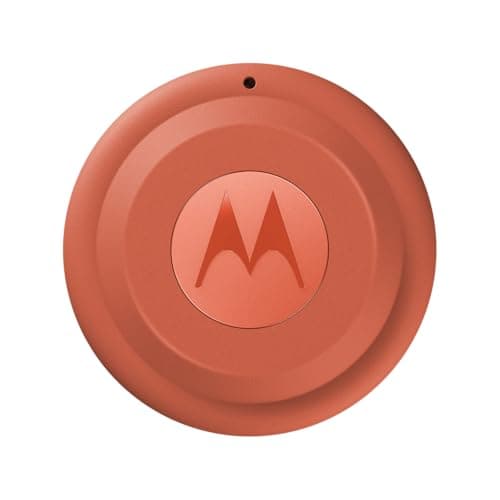
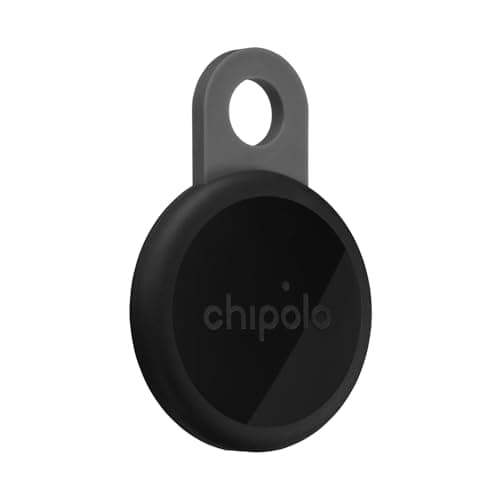
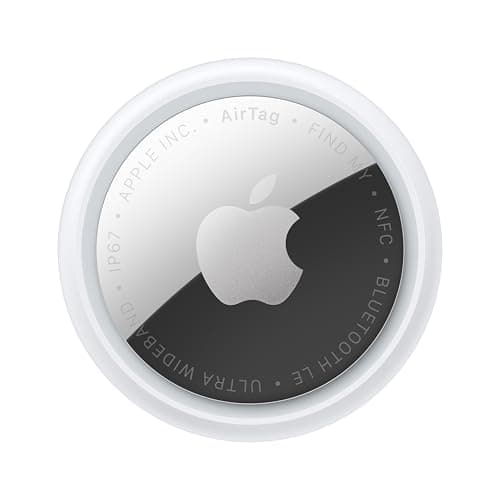
Buy the AirTag if you carry an iPhone and the Moto Tag 2 if you carry an Android phone. That is not a dodge — it is the answer, because an AirTag has no Android app and Motorola lists no Apple Find My mode for the Moto Tag 2. Everything else on this page is detail that only matters once your phone has already decided it. If you want to keep your options open, a dual-network tag such as the Chipolo LOOP works on either network and costs you nothing monthly either.
Both of these are the good kind of tracker: a user-replaceable coin cell, no subscription of any sort, and a crowd network of other people's phones doing the finding. Neither contains GPS, so neither reports where something is in real time — they report where a passing phone last heard them, which is a different and cheaper product. That distinction comes before this comparison.
The specs, as published
| | Apple AirTag (2nd gen) | Motorola Moto Tag 2 |
|---|
| Network | Apple Find My only | Google Find Hub only |
| Battery | CR2032, Apple states more than a year | CR2032, Motorola states more than 600 days |
| Water rating | IP67 (1 m for up to 30 minutes) | IP68 |
| Close-range finding | Ultra Wideband Precision Finding, 1.5x the range of gen 1 | Ultra Wideband plus Bluetooth 6.0 Channel Sounding |
| Alarm | Speaker 50% louder than the first generation | Motorola states a maximum of 77 dB at 10 cm |
| Subscription | None, ever | None, ever |
Two notes on reading that table honestly. Apple quotes its speaker as a relative improvement rather than a decibel figure, and Motorola quotes 77 dB at a stated distance — those are not comparable numbers, so we are not going to declare a winner on loudness. And a 600-day claim against a “more than a year” claim is a difference in how two companies write marketing copy as much as a difference in chemistry.
Where the Moto Tag 2 is genuinely ahead
On paper it is the better-specified device. IP68 is a step above IP67. Bluetooth 6.0 Channel Sounding alongside UWB is newer close-range finding technology than anything in the AirTag. The stated battery figure is longer in days, and the tag has a usable attachment point, which the AirTag famously does not — budget for a keyring case if you buy Apple.
Where the AirTag wins anyway
Network density. A crowd-sourced tag is only as good as the number of participating phones that walk past it, and Apple's Find My network is the largest in the world. Google Find Hub has grown quickly and is genuinely useful, but in most of the United States an AirTag dropped in a car park reports sooner than anything else on the market. For a finder, that is the only performance metric that really counts. The two networks compared directly.
The mixed-platform household
This is where the single-network tags become annoying. If the luggage is shared between an iPhone and an Android phone, a tag locked to one network is only findable by one person. Dual-network tags such as the Chipolo LOOP are the practical answer, with the caveat that you pick a network at setup and changing it means resetting the tag.
The short answer
Quick picks
Ranked by what each one costs to own for three years, not by sticker price. The plan column is the one most comparisons leave out.
| # | Product | Best for | Plan / 3 yr | Price |
|---|
| 01 | Apple AirTag (2nd generation)Ultra Wideband Precision Finding on the largest crowd network in the world, a replaceable CR2032 Apple states runs more than a year, and no subscription ever. iPhone only, with no Android app at all. | iPhone owners | No monthly fee $0 + batteries | $24.00·Amazon |
| 02 | Motorola Moto Tag 2Motorola states more than 600 days on a CR2032, IP68, Ultra Wideband plus Bluetooth 6.0 Channel Sounding, and Google Find Hub — with no Apple Find My mode listed. The better spec sheet, on the smaller network. | Android owners | No monthly fee $0 + batteries | $37.84·Amazon |
| 03 | Chipolo LOOPWorks with Apple Find My or Google Find Hub, your choice at setup, with a stated 125 dB alarm and a built-in keyring loop. The tag to buy if you do not know which phone you will own next. | Not committing to either platform | No monthly fee $0 | $39.00·Amazon |
#ad · Live prices from Amazon's product API, as of October 22, 2026. Where we have no verified live price we show none — a gap beats a number that has rotted. Plan figures are the brands' own published rates, cited in Sources below.
In detail
The picks, in full
Top pickNo monthly fee#01 · Apple
Apple AirTag (2nd generation)
iPhone owners
Ultra Wideband Precision Finding on the largest crowd network in the world, a replaceable CR2032 Apple states runs more than a year, and no subscription ever. iPhone only, with no Android app at all.
The subscription reality
No subscription. The only recurring cost is a CR2032 roughly once a year, which is pennies.
- Over three years:
- about $3 in coin cells
Specs, as published by Apple
- ·User-replaceable CR2032 coin cell; Apple states it runs more than a year
- ·IP67 (1 m for up to 30 minutes, IEC 60529)
- ·Ultra Wideband Precision Finding, 1.5x the range of the first generation
- ·Speaker 50% louder than the first generation
Good
- +No subscription, and Apple has never charged one
- +The Find My network is the largest crowd network in the world, so a lost AirTag in a populated area usually reports within minutes
- +Precision Finding walks you to it by distance and direction, not just a map pin
- +Battery is a coin cell from any supermarket, not a sealed pack
Not so good
- −iPhone only for setup and full use — there is no Android app
- −It has no GPS of its own: it reports when an Apple device walks past it, so it is a finder, not a tracker
- −No keyring hole, so you are buying a holder as well
Skip it if
you are on Android, or you need to watch something move in real time — an AirTag only knows where it was when someone last walked past it.
No monthly fee#02 · Motorola
Motorola Moto Tag 2
Android owners
Motorola states more than 600 days on a CR2032, IP68, Ultra Wideband plus Bluetooth 6.0 Channel Sounding, and Google Find Hub — with no Apple Find My mode listed. The better spec sheet, on the smaller network.
The subscription reality
No subscription. The only recurring cost is a CR2032 roughly once a year, which is pennies.
- Over three years:
- about $3 in coin cells
Specs, as published by Motorola
- ·Google Find Hub only — Motorola lists no Apple Find My mode
- ·User-replaceable CR2032; Motorola states more than 600 days
- ·Ultra Wideband plus Bluetooth 6.0 Channel Sounding for close-range finding
- ·IP68, and a stated maximum of 77 dB at 10 cm
Good
- +One of the few tags built for Google Find Hub first rather than as an afterthought
- +No subscription
- +Replaceable battery with the longest stated life of any mainstream tag
Not so good
- −Android only — there is no iPhone path at all
- −77 dB stated is quiet next to Chipolo's 125 dB or Pebblebee's 130 dB
- −UWB and channel sounding only help on phones that have them
- −Find Hub's network is younger and thinner than Apple's
Skip it if
most of the places you lose things are quiet — a thinner crowd network is the real limit on any Android tag.
No monthly fee#03 · Chipolo
Chipolo LOOP
Not committing to either platform
Works with Apple Find My or Google Find Hub, your choice at setup, with a stated 125 dB alarm and a built-in keyring loop. The tag to buy if you do not know which phone you will own next.
The subscription reality
No subscription, now or later. The purchase price is the whole cost of ownership.
- Over three years:
- $0
Specs, as published by Chipolo
- ·Rechargeable over USB-C; Chipolo states about a year per charge
- ·IP67, up to 30 minutes in 1 m of water
- ·About 125 dB stated alarm
- ·Up to 120 m (400 ft) stated Bluetooth range
Good
- +Works with Apple Find My or Google Find Hub, so it is the one tag you can buy without knowing which phone you will own next
- +No subscription at all, and Chipolo's own app features are free
- +Loud — 125 dB stated is well above an AirTag
- +Built-in loop, so it goes straight on a keyring
Not so good
- −You pick one network at setup; switching later means a reset
- −Rechargeable means a dead tag is a tag you have to find a cable for, not swap a coin cell into
- −USB-C cable is not in the box
Skip it if
you would rather drop in a fresh coin cell than remember to charge a keyring once a year.
The decision, in four lines
iPhone: AirTag, plus a keyring case. Nothing else gives you Precision Finding on the densest network.
Android: Moto Tag 2. Better IP rating, newer close-range finding, a built-in attachment point, and it is on the network your phone can actually use.
Mixed household, or you change phones often: a dual-network tag. Chipolo LOOP if you want the loud alarm and the keyring, Chipolo POP if you want the cheapest way in.
You need to know where something is right now: neither. Both are finders. For live position you need a cellular tracker and a plan. The three categories explained.
What neither of them does
Report from a field. Both depend on other people's phones, so in a rural area, a remote cabin or an empty industrial estate, both are close to silent. Both are also designed to warn a stranger who is traveling with an unknown tag, by sound and by notification, which is a deliberate anti-stalking feature and not a bug. How those alerts behave.
Cost of ownership, which is the short section
Neither has a subscription and neither ever has. The entire recurring cost of either tag is a CR2032 coin cell roughly once a year, which is about a dollar. That is the whole point of this category, and it is why we recommend tags freely and cellular trackers carefully. Why an AirTag has no fee, in detail.
One practical warning about coin cells
A CR2032 is a serious swallowing hazard for small children — both of these tags use one, and both are the size of something a toddler will investigate. Buy the batteries in child-resistant packaging, store spares out of reach, and keep tags in holders rather than loose in a bag that children use.
How we picked
We did not lab-test these trackers
Everyone in this category claims to have tested twenty devices. We have not tested any of them, and we say so on every page. What we did instead: read each manufacturer's published specifications and cite them with the date, find the actual subscription price and cite that too, and work out what thirty-six months of ownership costs at those published figures. Device prices come live from Amazon's API and expire after 48 hours rather than going stale. Where a figure could not be sourced to the manufacturer, the page says the spec is unconfirmed rather than borrowing it from a competitor's review. The full method is on the methodology page.
Working out what a tracker really costs? See the three-year cost of every tracker, compared.
Read next
Related
The table behind every recommendation on this site: device, plan, and what thirty-six months actually comes to.
The full spec sheet and what the Find Hub network means day to day.
The networks behind both tags, which is what actually finds your things.
Every tag an Android owner can actually use, not just Motorola's.
Network size against cross-platform support, and the Life360 membership that now sits behind Tile's best features.
Bluetooth tags, cellular GPS and radio direction-finding are different products, not price tiers.