Skip to content
Tag & Tether

Everyday carry · Keys, Wallets & Everyday Carry

Separation alerts, explained

The only feature in this category that prevents a loss rather than curing one. And the setup step people skip, which is why they turn it off.

By Mike M.Last updated

#ad — we earn a commission if you buy through the links on this page, at no cost to you. It never changes what we recommend, and the structural reason it cannot is that we recommend the no-subscription devices, which pay the least. Full disclosure.


Nearly every feature in item tracking is a cure: the thing is lost, and the tracker helps you find it. Separation alerts are the exception. They are the one feature that stops the loss happening, and most people who own a tag have never switched them on.

What they do

Your phone keeps a rough sense of where you and your tagged items are. When you leave a place and a tagged item does not come with you, it tells you — ideally while you are still in the car park rather than at bedtime.

For keys, a wallet, a laptop bag or a passport, that is more valuable than any map, because the common failure in this category is not mislaying something at home. It is leaving it behind somewhere else.

How it works on each platform

Apple Find My. The most mature implementation, free, with no paid tier. Enabled per item, and it works for AirTags and third-party Find My accessories alike.

Google Find Hub. Equivalent functionality on Android for Find Hub devices, also free.

Samsung SmartThings Find. Same idea for SmartTags on Galaxy devices.

Tile. Tile calls these Smart Alerts and they sit behind a Life360 membership, published at $9.99, $16.99 and $24.99 a month. This is worth knowing because Smart Alerts are the feature in most Tile advertising, and on every other platform the equivalent is free.

The short answer

Quick picks

Ranked by what each one costs to own for three years, not by sticker price. The plan column is the one most comparisons leave out.

#ProductBest forPlan / 3 yrPrice
01
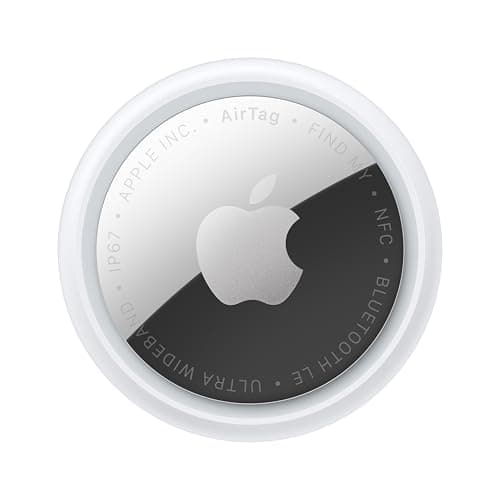
Apple Apple AirTag (2nd generation)
Apple AirTag (2nd generation)

Apple's implementation is the most mature, and it is free with no paid tier. Set trusted locations during setup or the false positives will wear you down.

iPhone: Find My notify-when-left-behindNo monthly fee

$0 + batteries

$24.00Amazon
02
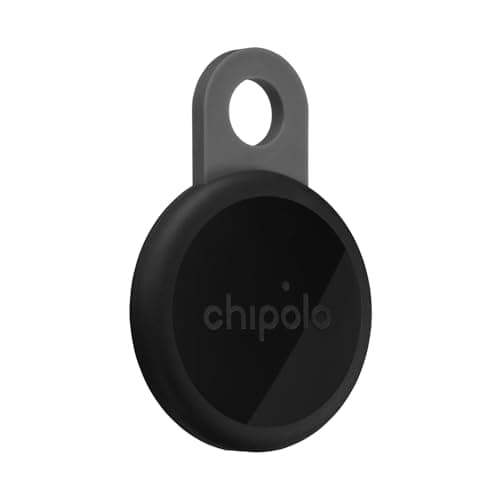
Chipolo Chipolo LOOP
Chipolo LOOP

Dual-network, so you get the host platform's own separation alerts whichever phone you carry, with nothing to subscribe to.

Either platform, no paid tierNo monthly fee

$0

$33.15Amazon
03
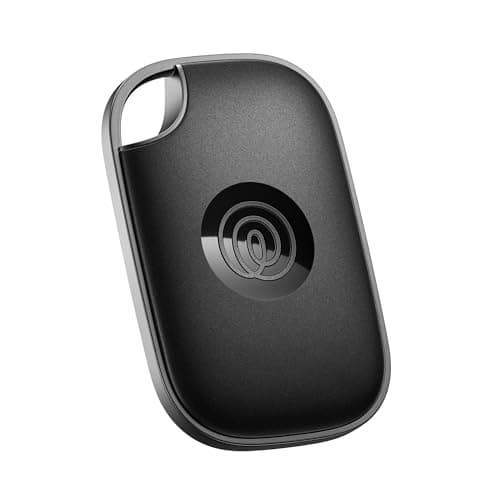
Life360 Tile Pro
Tile Pro

Tile's Smart Alerts sit behind a Life360 membership from a published $9.99 a month — worth knowing, because it is the feature in most Tile advertising.

Where the alert is behind a paywallOptional plan

$0, or from $9.99/mo

$34.20Amazon
04
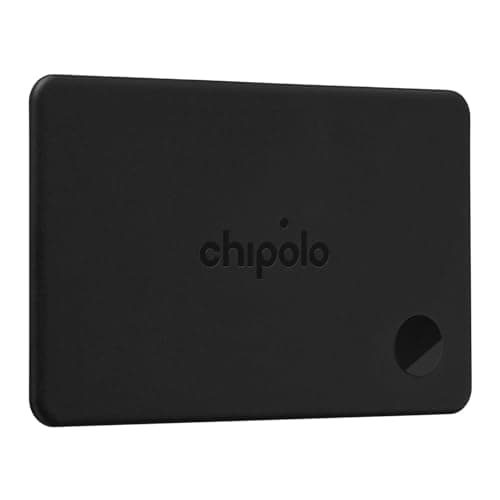
Chipolo Chipolo CARD
Chipolo CARD

For a wallet the alert matters more than the finding, because leaving it behind is the actual failure. Rechargeable, so it does not expire.

A wallet, where this matters mostNo monthly fee

$0

$33.14Amazon

#ad · Live prices from Amazon's product API, as of October 8, 2026. Where we have no verified live price we show none — a gap beats a number that has rotted. Plan figures are the brands' own published rates, cited in Sources below.

In detail

The picks, in full

Apple Apple AirTag (2nd generation)
$24.00View on Amazon

$29.0017% off

Price as of October 8, 2026. Prices move — Amazon's at checkout is the one that counts.

#ad · we may earn a commission from this link to Apple AirTag (2nd generation)

Top pickNo monthly fee#01 · Apple

Apple AirTag (2nd generation)

iPhone: Find My notify-when-left-behind

Apple's implementation is the most mature, and it is free with no paid tier. Set trusted locations during setup or the false positives will wear you down.

The subscription reality

No subscription. The only recurring cost is a CR2032 roughly once a year, which is pennies.

Over three years:
about $3 in coin cells

Specs, as published by Apple

  • User-replaceable CR2032 coin cell; Apple states it runs more than a year
  • IP67 (1 m for up to 30 minutes, IEC 60529)
  • Ultra Wideband Precision Finding, 1.5x the range of the first generation
  • Speaker 50% louder than the first generation

Good

  • No subscription, and Apple has never charged one
  • The Find My network is the largest crowd network in the world, so a lost AirTag in a populated area usually reports within minutes
  • Precision Finding walks you to it by distance and direction, not just a map pin
  • Battery is a coin cell from any supermarket, not a sealed pack

Not so good

  • iPhone only for setup and full use — there is no Android app
  • It has no GPS of its own: it reports when an Apple device walks past it, so it is a finder, not a tracker
  • No keyring hole, so you are buying a holder as well

Skip it if

you are on Android, or you need to watch something move in real time — an AirTag only knows where it was when someone last walked past it.

Chipolo Chipolo LOOP
$33.15View on Amazon

$39.0015% off

Price as of October 8, 2026. Prices move — Amazon's at checkout is the one that counts.

#ad · we may earn a commission from this link to Chipolo LOOP

No monthly fee#02 · Chipolo

Chipolo LOOP

Either platform, no paid tier

Dual-network, so you get the host platform's own separation alerts whichever phone you carry, with nothing to subscribe to.

The subscription reality

No subscription, now or later. The purchase price is the whole cost of ownership.

Over three years:
$0

Specs, as published by Chipolo

  • Rechargeable over USB-C; Chipolo states about a year per charge
  • IP67, up to 30 minutes in 1 m of water
  • About 125 dB stated alarm
  • Up to 120 m (400 ft) stated Bluetooth range

Good

  • Works with Apple Find My or Google Find Hub, so it is the one tag you can buy without knowing which phone you will own next
  • No subscription at all, and Chipolo's own app features are free
  • Loud — 125 dB stated is well above an AirTag
  • Built-in loop, so it goes straight on a keyring

Not so good

  • You pick one network at setup; switching later means a reset
  • Rechargeable means a dead tag is a tag you have to find a cable for, not swap a coin cell into
  • USB-C cable is not in the box

Skip it if

you would rather drop in a fresh coin cell than remember to charge a keyring once a year.

Life360 Tile Pro
$34.20View on Amazon

Price as of October 8, 2026. Prices move — Amazon's at checkout is the one that counts.

#ad · we may earn a commission from this link to Tile Pro

Optional plan#03 · Life360

Tile Pro

Where the alert is behind a paywall

Tile's Smart Alerts sit behind a Life360 membership from a published $9.99 a month — worth knowing, because it is the feature in most Tile advertising.

The subscription reality

Finding works on the free tier. Life360's paid memberships add location history, smart alerts and item reimbursement — they are optional, but they are how the brand now makes money from you.

Published monthly:
$9.99 (Silver), $16.99 (Gold), $24.99 (Platinum)
Over three years:
$0, or from $359.64 on the cheapest paid tier

Specs, as published by Life360

  • Replaceable CR2477 coin cell
  • Tile's longest stated Bluetooth range of the range
  • Works on iPhone and Android from the same app
  • Tile's loudest ring

Good

  • The one mainstream tag that works properly on both iPhone and Android with one app
  • Replaceable battery, unlike the sealed Tiles of a few years ago
  • Basic finding does not require a paid plan

Not so good

  • Tile's crowd network is far thinner than Apple's, which matters most when the item is far away
  • The useful extras — Smart Alerts, 30-day history, item reimbursement — are behind a Life360 membership
  • CR2477 is a less common battery than CR2032

Skip it if

everyone in your household has an iPhone. You would be paying for cross-platform support you will never use, on a smaller network.

Chipolo Chipolo CARD
$33.14View on Amazon

$38.9915% off

Price as of October 8, 2026. Prices move — Amazon's at checkout is the one that counts.

#ad · we may earn a commission from this link to Chipolo CARD

No monthly fee#04 · Chipolo

Chipolo CARD

A wallet, where this matters most

For a wallet the alert matters more than the finding, because leaving it behind is the actual failure. Rechargeable, so it does not expire.

The subscription reality

No subscription, now or later. The purchase price is the whole cost of ownership.

Over three years:
$0

Specs, as published by Chipolo

  • Credit-card form factor, rechargeable
  • Works with Apple Find My or Google Find Hub
  • No subscription for any feature

Good

  • Actually card-shaped, so it sits in a note slot without bulging the wallet
  • Rechargeable, so no sealed two-year death date like the first wallet cards had
  • Dual-network

Not so good

  • Needs charging, and a wallet card is the easiest thing to forget to charge
  • Thicker than a real credit card
  • Alarm is quieter than a keyring tag, as every card tracker's is

Skip it if

your wallet is already tight — measure the slot before you buy any card tracker.

The setup step everyone skips

Trusted locations. This single step decides whether you still have the feature enabled in a month.

Here is the failure sequence. You enable separation alerts. You leave the house without your spare keys, which live in a drawer, and get an alert. You go to work and leave your bike lock at home, and get an alert. By Thursday you have had six notifications about items you deliberately left behind, and you switch the feature off.

The fix is to mark the places where leaving an item is normal — home, work, a regular gym — as trusted, so no alert fires there. Do it during setup, before the annoyance accumulates.

A related point: enable alerts per item rather than for everything. Keys, wallet and laptop bag, yes. The tag on the spare car key that lives in a drawer, no.

What they are genuinely good at

Restaurants, taxis and bars. The classic wallet-and-phone-on-the-table scenario. An alert as you leave is worth more than knowing an hour later which restaurant it was.

Offices and co-working spaces. A laptop bag left under a desk, noticed in the lobby rather than at home.

Gyms and pools. The locker-room scenario, where things get put on a bench and left.

Travel. A bag left in a hotel room, a hire car, or at a departure gate. For a traveler this is the most valuable application of the whole category.

The honest limitations

They are not instant. The system needs to be confident you have actually left rather than walked to the far side of a building, so there is a lag — usually a few minutes. Enough to turn round in a car park; not enough to catch you on the way out of the door.

They depend on your phone. Flat phone, no alert. Phone left behind along with the keys, no alert.

They can miss in dense indoor environments. A large building where you move between floors can confuse the heuristic in both directions.

They are not a security feature. An item taken from you deliberately is a different problem, and the alert may arrive long after it matters.

How to set it up well, in four steps

1. Enable separation alerts for the three or four items you genuinely carry every day. Not everything you own a tag for.

2. Add home, work and any regular venue as trusted locations in the same sitting.

3. Live with it for a week and add any further trusted location that generates a nuisance alert, rather than switching the feature off.

4. Re-check it after a house move or a job change, because your trusted locations are now wrong and the nuisance alerts will start again.

The habits that pair with this do more than any feature, and together they are most of the problem solved.
How we picked

We did not lab-test these trackers

Everyone in this category claims to have tested twenty devices. We have not tested any of them, and we say so on every page. What we did instead: read each manufacturer's published specifications and cite them with the date, find the actual subscription price and cite that too, and work out what thirty-six months of ownership costs at those published figures. Device prices come live from Amazon's API and expire after 48 hours rather than going stale. Where a figure could not be sourced to the manufacturer, the page says the spec is unconfirmed rather than borrowing it from a competitor's review. The full method is on the methodology page.

Working out what a tracker really costs? See the three-year cost of every tracker, compared.

Questions

Frequently asked

What are separation alerts on a tracker?
A notification when you leave a place without a tagged item — your phone notices the item did not come with you and tells you, ideally while you are still in the car park rather than at bedtime. It is the only feature in item tracking that prevents a loss rather than curing one, and for keys, a wallet or a laptop bag it is more valuable than any map.
Why do I get separation alerts for things I left on purpose?
Because you have not set trusted locations. The system cannot tell a deliberately-parked spare key from a forgotten one, so it alerts on both — and after six nuisance notifications most people switch the feature off entirely. Mark home, work and any regular venue as trusted during setup, and enable alerts per item rather than for everything you own a tag for.
Are separation alerts free?
On Apple Find My, Google Find Hub and Samsung SmartThings Find, yes — free, with no paid tier. On Tile they are called Smart Alerts and sit behind a Life360 membership published at $9.99 a month for Silver, $16.99 for Gold and $24.99 for Platinum. That is worth knowing, because Smart Alerts are the feature in most Tile advertising and the equivalent is free everywhere else.
How quickly do separation alerts fire?
Usually a few minutes rather than instantly. The system has to be confident you have genuinely left rather than walked to the far side of a building, so there is deliberate lag — enough to turn round in a car park, not enough to catch you on the way out of the door. They also depend on your phone: flat phone, no alert.
Which items should I enable separation alerts for?
The three or four things you genuinely carry every day — keys, wallet, laptop bag, maybe a passport while traveling. Not the tag on a spare car key that lives in a drawer, and not luggage stored in a loft, because those generate exactly the nuisance alerts that make people disable the feature. Per-item control is the point.

Read next

Where the figures came from

Sources

Every specification and plan price on this page traces to one of these, read on the date shown. Device prices are live from Amazon and stamped separately.

  1. Apple — AirTag product page (battery, IP67, Precision Finding) — accessed 2026-10-05
  2. Life360 — membership pricing (Silver $9.99, Gold $16.99, Platinum $24.99 per month) — accessed 2026-10-05
  3. Chipolo — LOOP product page (battery, IP67, 125 dB, 120 m) — accessed 2026-10-05
  4. Google — unknown tracker alerts on Android — accessed 2026-10-05
  5. Amazon Product Advertising / Creators API — live prices and product images — accessed 2026-10-05