Skip to content
Tag & Tether

Mechanics & law · How Trackers Work

How to set up an AirTag

It takes about two minutes and there is no app to download. The interesting part is what to do when the prompt does not appear.

By Mike M.Last updated


Pull the plastic tab to wake the battery, hold the AirTag next to an unlocked iPhone, tap Connect when the card slides up, give it a name, and tap Done. There is no app to install and no subscription at any point — the Find My app is already on the phone and the Apple Account you already have is the only account involved.

The five steps

  1. Unwrap and pull the tab. The tag ships with the battery insulated by a plastic tab around the rim. Pull it all the way off. You should hear a chime — that is the tag powering up for the first time.
  2. Unlock your iPhone and hold the tag next to it. Top of the phone, within a couple of inches. Bluetooth needs to be on, and it is worth being on Wi-Fi or cellular so the tag can register with your account.
  3. Tap Connect on the card that appears. It slides up from the bottom of the screen by itself. If it does not, skip to the next section.
  4. Name it. Pick from the suggested list or type your own. Name it for the object — “House keys”, “Blue suitcase” — not for where it currently is, because the location is the one thing that changes.
  5. Tap Done, then find it once on purpose. Open Find My, choose Items, select the tag and tap Play Sound. Confirming it works now is better than discovering it does not when something is missing.

When no setup prompt appears

This is the common failure, and it is almost always one of five things.

  • The phone is locked. The prompt only appears on an unlocked screen.
  • Bluetooth is off, or Find My is not enabled. Both need to be on, and your Apple Account must have Find My switched on for the device.
  • The tag is already paired to somebody else. A second-hand or already-used tag must be removed from the previous owner's account before it will pair with yours. Nobody else can do that for you, which is a theft-deterrent feature.
  • The battery tab was not fully removed, or the cell is flat. No chime means no power. Open the tag and check the cell.
  • It is an Android phone. There is no AirTag app for Android and never has been. An Android phone can read a found AirTag over NFC, which is the anti-stalking mechanism rather than a setup path. Buy a Find Hub tag instead.

After a battery change

Nothing. The tag stays paired to your account through a battery swap — you do not set it up again. What you may see is the tag disappearing from Find My for a few minutes until it reconnects, and a chime when the new cell seats. If it does not come back, check the cell is the right way up and that it is not a bitter-coated one, because some of those do not make proper contact in an AirTag. The battery procedure.

Moving a tag to a new iPhone

Also nothing, as long as the new phone signs in to the same Apple Account. Items live on the account rather than on the handset. You only need to re-pair if you are giving the tag to somebody else, in which case you remove it from your account first and they set it up as new.

The short answer

Quick picks

Ranked by what each one costs to own for three years, not by sticker price. The plan column is the one most comparisons leave out.

#ProductBest forPlan / 3 yrPrice
01
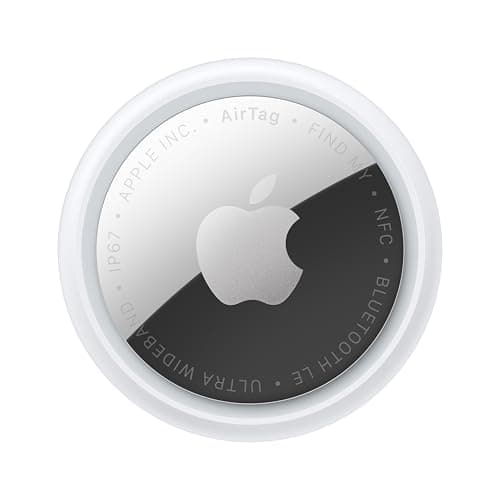
Apple Apple AirTag (2nd generation)
Apple AirTag (2nd generation)

No app, no account beyond the Apple Account you already have, and no subscription at any point. Setup is a prompt and a name.

The tag itselfNo monthly fee

$0 + batteries

$24.00Amazon
02
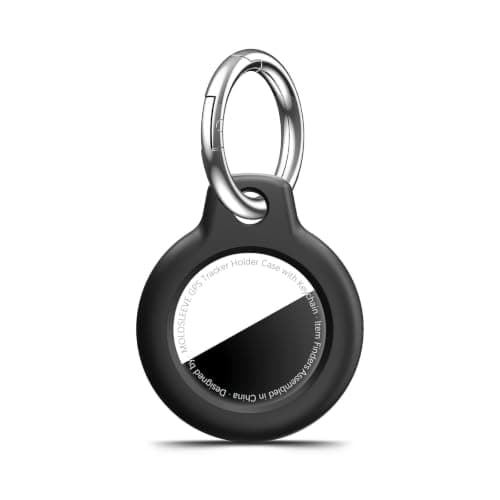
MOLOSLEEVE AirTag keyring case (multi-pack)
AirTag keyring case (multi-pack)

Fit the holder during setup, not later. A tag rattling loose at the bottom of a bag is the most common way one gets separated from the thing it was tracking.

Before you lose it loose in a bagNo monthly fee

$0

$4.99Amazon
03
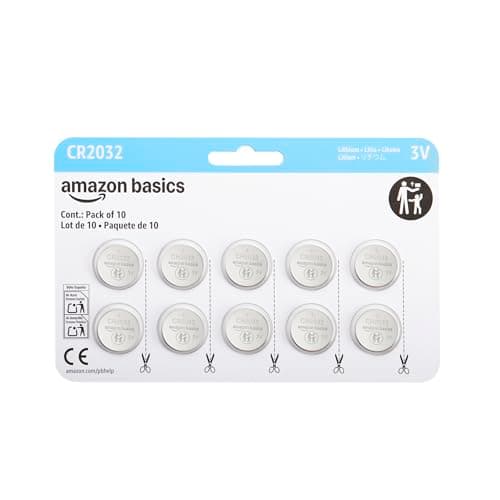
Amazon Basics CR2032 coin cells (multi-pack)
CR2032 coin cells (multi-pack)

A weak cell reduces transmit power before it kills the tag. Keep a multi-pack; the entire recurring cost of an AirTag is about a dollar a year.

When the prompt stops appearingNo monthly fee

$0

$9.99Amazon
04
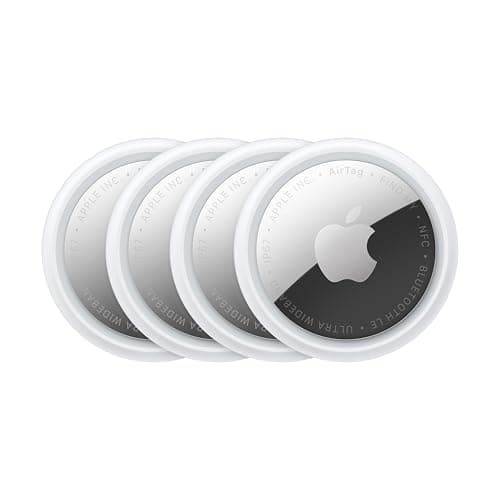
Apple Apple AirTag 4-pack (2nd generation)
Apple AirTag 4-pack (2nd generation)

Set each one up separately and name it for the thing rather than the room. Four tags all called AirTag is a problem you create once and regret for years.

Setting up several at onceNo monthly fee

$0 + batteries

$89.00Amazon

#ad · Live prices from Amazon's product API, as of October 11, 2026. Where we have no verified live price we show none — a gap beats a number that has rotted. Plan figures are the brands' own published rates, cited in Sources below.

In detail

The picks, in full

Apple Apple AirTag (2nd generation)
$24.00View on Amazon

$29.0017% off

Price as of October 11, 2026. Prices move — Amazon's at checkout is the one that counts.

#ad · we may earn a commission from this link to Apple AirTag (2nd generation)

Top pickNo monthly fee#01 · Apple

Apple AirTag (2nd generation)

The tag itself

No app, no account beyond the Apple Account you already have, and no subscription at any point. Setup is a prompt and a name.

The subscription reality

No subscription. The only recurring cost is a CR2032 roughly once a year, which is pennies.

Over three years:
about $3 in coin cells

Specs, as published by Apple

  • User-replaceable CR2032 coin cell; Apple states it runs more than a year
  • IP67 (1 m for up to 30 minutes, IEC 60529)
  • Ultra Wideband Precision Finding, 1.5x the range of the first generation
  • Speaker 50% louder than the first generation

Good

  • No subscription, and Apple has never charged one
  • The Find My network is the largest crowd network in the world, so a lost AirTag in a populated area usually reports within minutes
  • Precision Finding walks you to it by distance and direction, not just a map pin
  • Battery is a coin cell from any supermarket, not a sealed pack

Not so good

  • iPhone only for setup and full use — there is no Android app
  • It has no GPS of its own: it reports when an Apple device walks past it, so it is a finder, not a tracker
  • No keyring hole, so you are buying a holder as well

Skip it if

you are on Android, or you need to watch something move in real time — an AirTag only knows where it was when someone last walked past it.

MOLOSLEEVE AirTag keyring case (multi-pack)
$4.99View on Amazon

Price as of October 11, 2026. Prices move — Amazon's at checkout is the one that counts.

#ad · we may earn a commission from this link to AirTag keyring case (multi-pack)

No monthly fee#02 · MOLOSLEEVE

AirTag keyring case (multi-pack)

Before you lose it loose in a bag

Fit the holder during setup, not later. A tag rattling loose at the bottom of a bag is the most common way one gets separated from the thing it was tracking.

The subscription reality

No subscription, now or later. The purchase price is the whole cost of ownership.

Over three years:
$0

Specs, as published by MOLOSLEEVE

  • Shockproof shell with a keyring
  • Fits 1st and 2nd generation AirTag
  • Multi-pack

Good

  • Solves the AirTag's missing keyring hole for pocket change
  • Protects the shell
  • Multi-pack

Not so good

  • Adds bulk
  • Cheap plastic
  • Does not improve the alarm

Skip it if

you are using a Chipolo or SmartTag2 — those already have a hole.

Amazon Basics CR2032 coin cells (multi-pack)
$9.99View on Amazon

Price as of October 11, 2026. Prices move — Amazon's at checkout is the one that counts.

#ad · we may earn a commission from this link to CR2032 coin cells (multi-pack)

No monthly fee#03 · Amazon Basics

CR2032 coin cells (multi-pack)

When the prompt stops appearing

A weak cell reduces transmit power before it kills the tag. Keep a multi-pack; the entire recurring cost of an AirTag is about a dollar a year.

The subscription reality

No subscription, now or later. The purchase price is the whole cost of ownership.

Over three years:
$0

Specs, as published by Amazon Basics

  • CR2032 3V lithium
  • Multi-pack
  • The battery used by AirTag and SmartTag2

Good

  • A year of AirTag ownership costs about a dollar in batteries
  • Multi-pack covers several tags for years
  • Universally available

Not so good

  • Some bitter-coated cells do not seat properly in an AirTag — a known, widely reported fit issue
  • Coin cells are a serious swallowing hazard around small children
  • Shelf life is finite

Skip it if

there are toddlers in the house and you will not store these locked away. Coin cells cause severe internal injuries if swallowed.

Apple Apple AirTag 4-pack (2nd generation)
$89.00View on Amazon

$99.0010% off

Price as of October 11, 2026. Prices move — Amazon's at checkout is the one that counts.

#ad · we may earn a commission from this link to Apple AirTag 4-pack (2nd generation)

No monthly fee#04 · Apple

Apple AirTag 4-pack (2nd generation)

Setting up several at once

Set each one up separately and name it for the thing rather than the room. Four tags all called AirTag is a problem you create once and regret for years.

The subscription reality

No subscription. The only recurring cost is a CR2032 roughly once a year, which is pennies.

Over three years:
about $3 in coin cells

Specs, as published by Apple

  • Four 2nd-generation AirTags
  • User-replaceable CR2032 each; Apple states more than a year per battery
  • IP67 (1 m for up to 30 minutes, IEC 60529)
  • Ultra Wideband Precision Finding

Good

  • Cheaper per tag than buying singles, and the per-tag cost is the only cost
  • Covers keys, wallet, car, and a bag in one purchase
  • Nothing to renew, ever

Not so good

  • iPhone only
  • Four holders is four more purchases
  • Overkill if you only ever lose one thing

Skip it if

you only need one tag — buy the single and save the difference, there is no subscription saving to chase here.

The three settings worth changing

Turn on Notify When Left Behind. This is the feature that prevents loss rather than fixing it: the phone tells you when you walk away from the tagged item. It is free, it is off by default for some items, and it is the single most useful thing in the app.

Set Lost Mode ready, not later. You can add a phone number or email shown to anyone who finds the tag. Doing it while you are already in the app takes ten seconds; doing it while something is missing is one more thing to work out under pressure.

Exclude the places you do not want alerts. Separation alerts at home and at work are noise. Mark those locations as trusted so the alerts mean something when they fire.

Naming, and why it matters more than it sounds

Name the tag for the object, permanently, and use a name you will recognize in a list at six in the morning. If you have several, make them obviously different — “Car keys” and “Spare keys” rather than “Keys” and “Keys 2”. If you bought a four-pack, color-coded holders are worth the few dollars for the same reason.

Physical setup: fit the holder now

An AirTag has no keyring hole, which means it needs a shell to attach to anything. Fit it during setup. A loose tag in a bag migrates to the bottom, gets separated from the thing it was supposed to be tracking, and ends up tracking the bag — which is sometimes what you wanted and usually not. The holders worth buying.

One thing to know about other people's tags

Both iPhone and Android will warn somebody if an unknown tag is traveling with them, and an unattended tag away from its owner starts making noise after a while. That is deliberate and it is a good thing — but it also means a tag placed in somebody else's belongings will announce itself, and placing one there is a different matter entirely. What the law says.
Questions

Frequently asked

How do you set up an AirTag?
Pull the plastic tab off the rim to connect the battery, hold the tag next to an unlocked iPhone, tap Connect on the card that slides up, name it, and tap Done. The whole thing takes about two minutes, there is no app to download because Find My is already installed, and no subscription is involved at any stage. Then open Find My, select the item and tap Play Sound once, so you know it works before you need it to.
Why is my iPhone not detecting my new AirTag?
Five usual causes. The phone is locked — the prompt only appears on an unlocked screen. Bluetooth or Find My is switched off. The plastic battery tab was not fully removed, or the coin cell is flat, in which case you get no chime. The tag is still paired to a previous owner's account and has to be removed from it first. Or the phone is an Android, which cannot set up an AirTag at all because no Android app exists.
Do I need to set up an AirTag again after changing the battery?
No. The tag stays paired to your Apple Account through a battery swap. It may vanish from Find My for a few minutes while it reconnects, and you should hear a chime when the new cell seats properly. If it does not come back, check the cell is the right way up and is not one of the bitter-coated types — several of those are known not to make proper contact inside an AirTag.
Can I set up an AirTag on Android?
No. There is no AirTag app for Android and setup requires an iPhone, iPad or iPod touch signed in to an Apple Account. An Android phone can tap a found AirTag to read its owner's contact details over NFC, and it will warn you if an unknown tracker is moving with you, but neither of those is a setup path. On Android, buy a tag built for Google Find Hub or a dual-network tag instead.
How do I set up several AirTags at once?
One at a time, which is quicker than it sounds — each takes about two minutes. The thing worth doing properly is naming: give each tag the name of the object rather than a number, and make the names distinct enough to tell apart in a list when you are in a hurry. If you bought a four-pack, color-coded holders cost a few dollars and save a lot of squinting later.

Read next

Where the figures came from

Sources

Every specification and plan price on this page traces to one of these, read on the date shown. Device prices are live from Amazon and stamped separately.

  1. Apple — AirTag product page (battery, IP67, Precision Finding) — accessed 2026-10-05
  2. Apple Support — if you get an alert that an AirTag or Find My network accessory is with you — accessed 2026-10-05
  3. Amazon Product Advertising / Creators API — live prices and product images — accessed 2026-10-05